

Build a simple quiz with Python
Level: Beginner

Project Description
Build a command line-based quiz game with Python.
How the Project Works
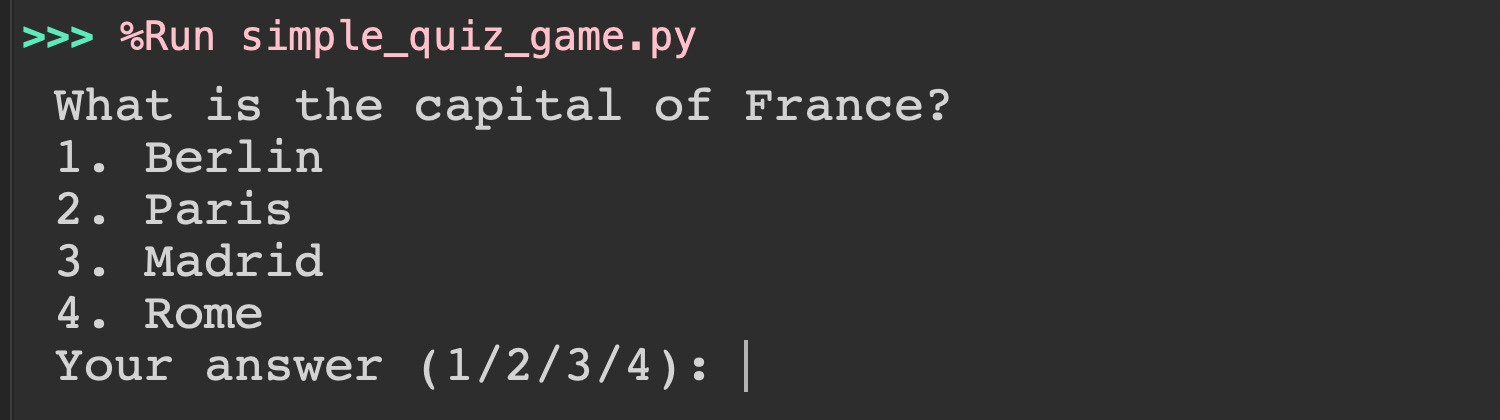
(1) The program starts by providing the question and choices and asking the user to pick an answer (1, 2, 3, or 4).
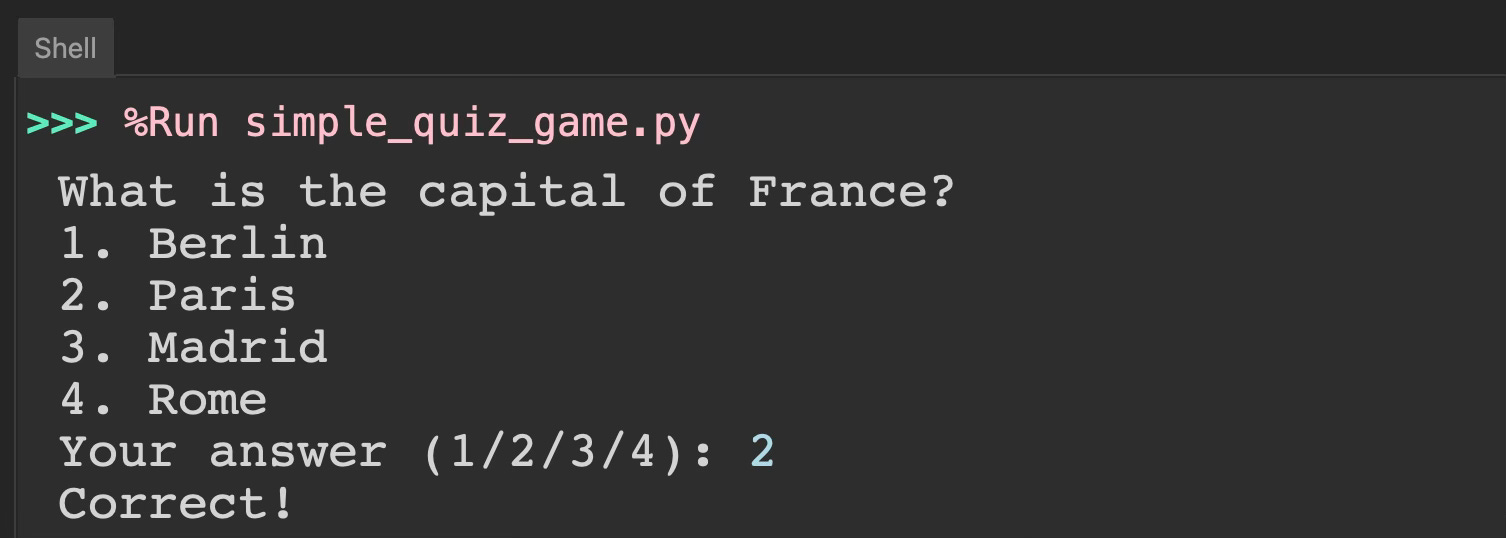
(2) The user enters a number (e.g., 2). The program prints out “Correct! if the answer is correct.
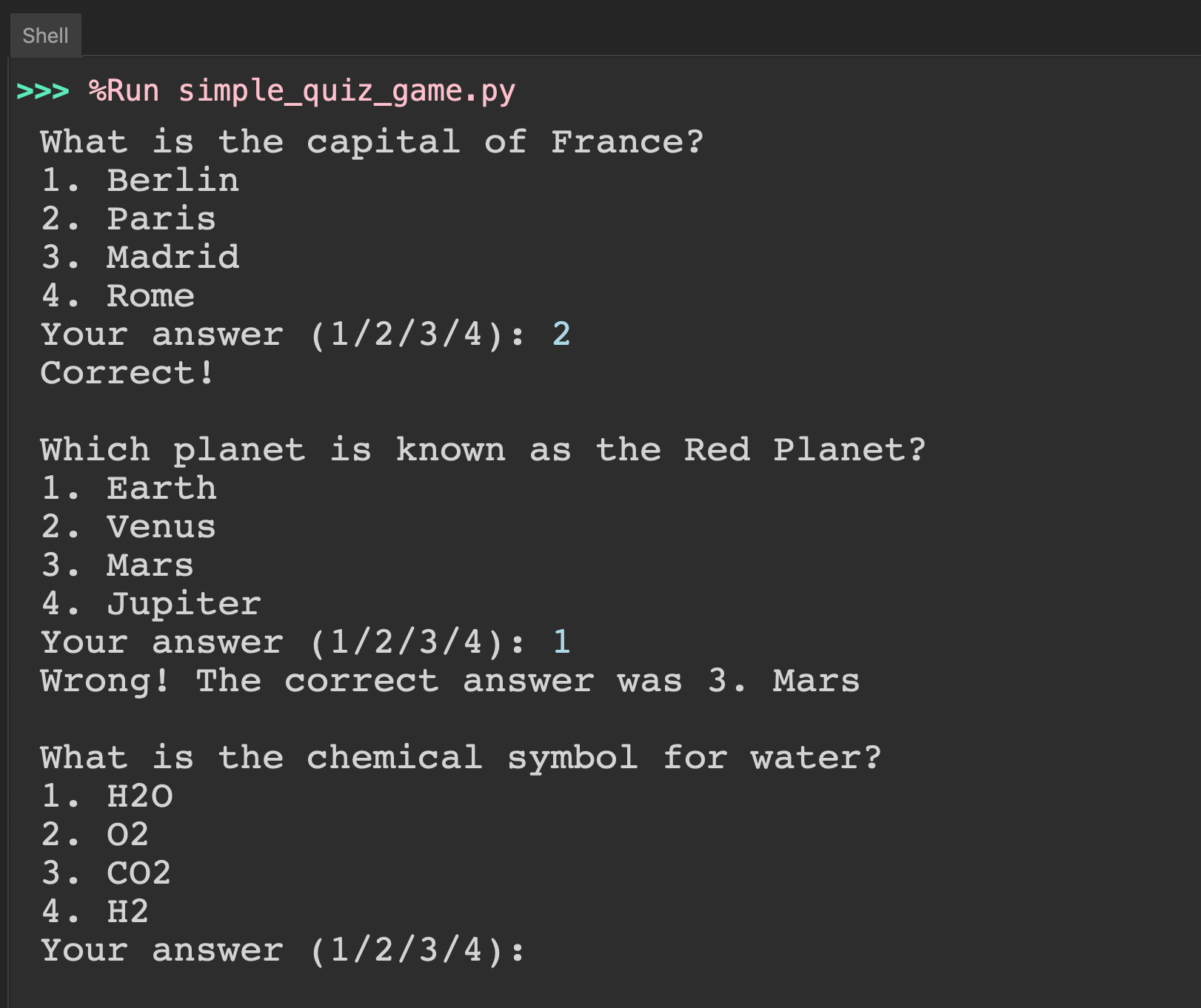
(3) The program shows the second question (e.g., Which planet is known as the Red Planet?”). If the user enters a wrong answer, the program prints the relevant message. The process is repeated with a third question.
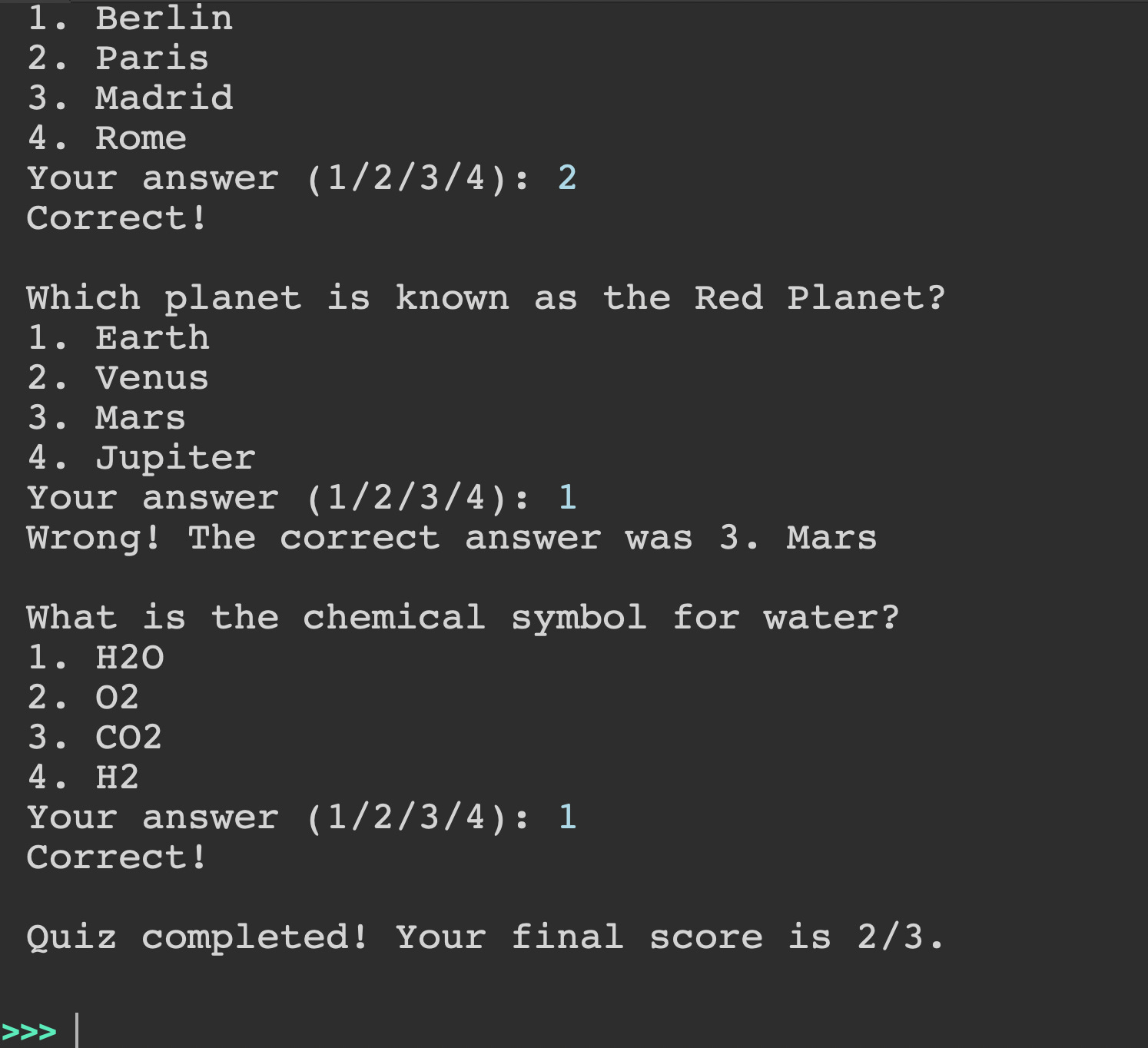
(4) Finally, the program prints out the total score to the user after three questions.
To make your job easier, here are the data from the above quiz:
quiz_questions = [ ("What is the capital of France?", ["Berlin", "Paris", "Madrid", "Rome"], 2), ("Which planet is known as the Red Planet?", ["Earth", "Venus", "Mars", "Jupiter"], 3), ("What is the chemical symbol for water?", ["H2O", "O2", "CO2", "H2"], 1), ]Prerequisites
Required Libraries: No libraries are required.
Required Files: No files are required.
IDE: You can use any IDE on your computer to code the project.
Danger Zone
See our code solution below for this project: