

Build a Daily Notes Writer
Level: Beginner

Your task for today is to create a script that takes a list of sentences from the user, writes them to a text file, and automatically names the file with the current date.
Project Task
Create a daily notes writer that:
Prompts the user to enter multiple sentences or notes
Collects all sentences until the user types ‘done’
Uses the datetime library to get the current date
Creates a filename using today’s date (e.g., notes_2024-01-15.txt)
Writes all collected sentences to the text file
Saves each sentence on a new line
Displays a confirmation message with the filename
This project gives you hands-on practice with file writing, date formatting, loops, and user input handling — essential skills for creating note-taking and logging applications.
Expected Output
The program will ask the user to enter some notes. If the user types in “done” the program stops asking for notes and writes the notes in a file:
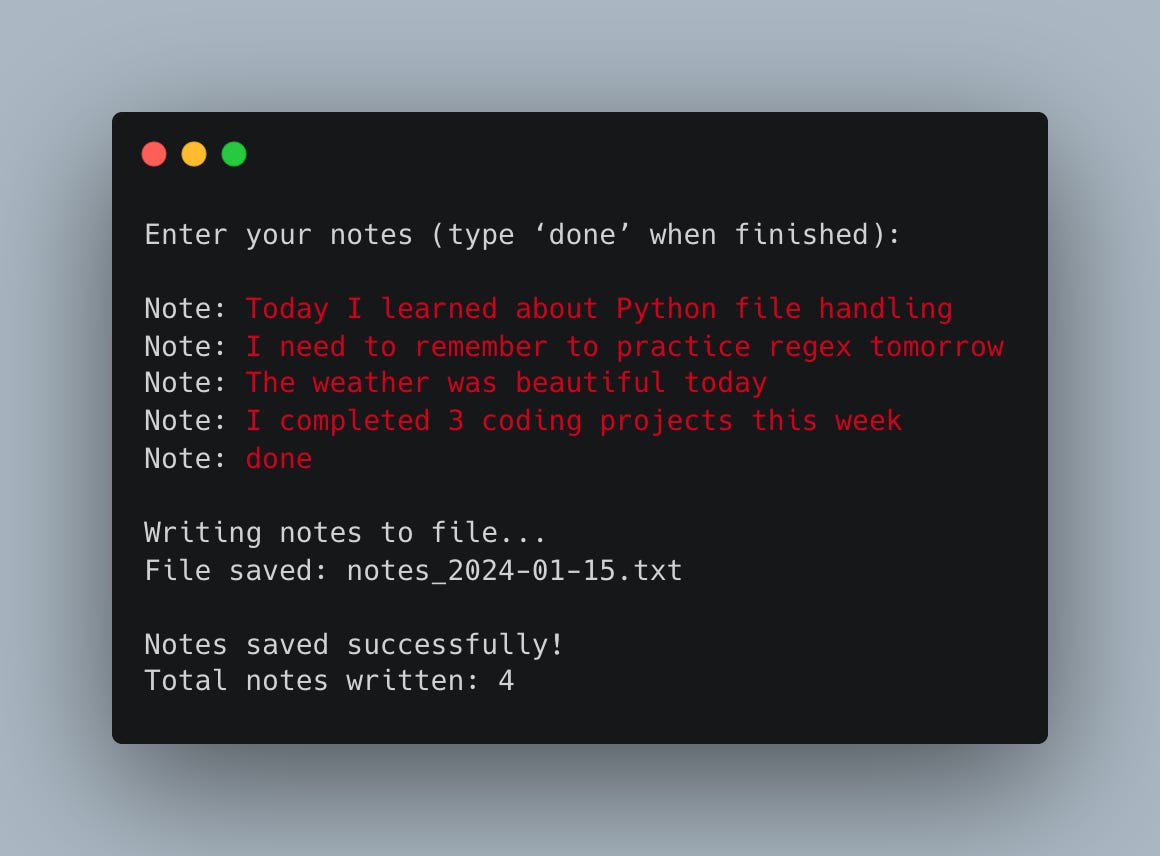
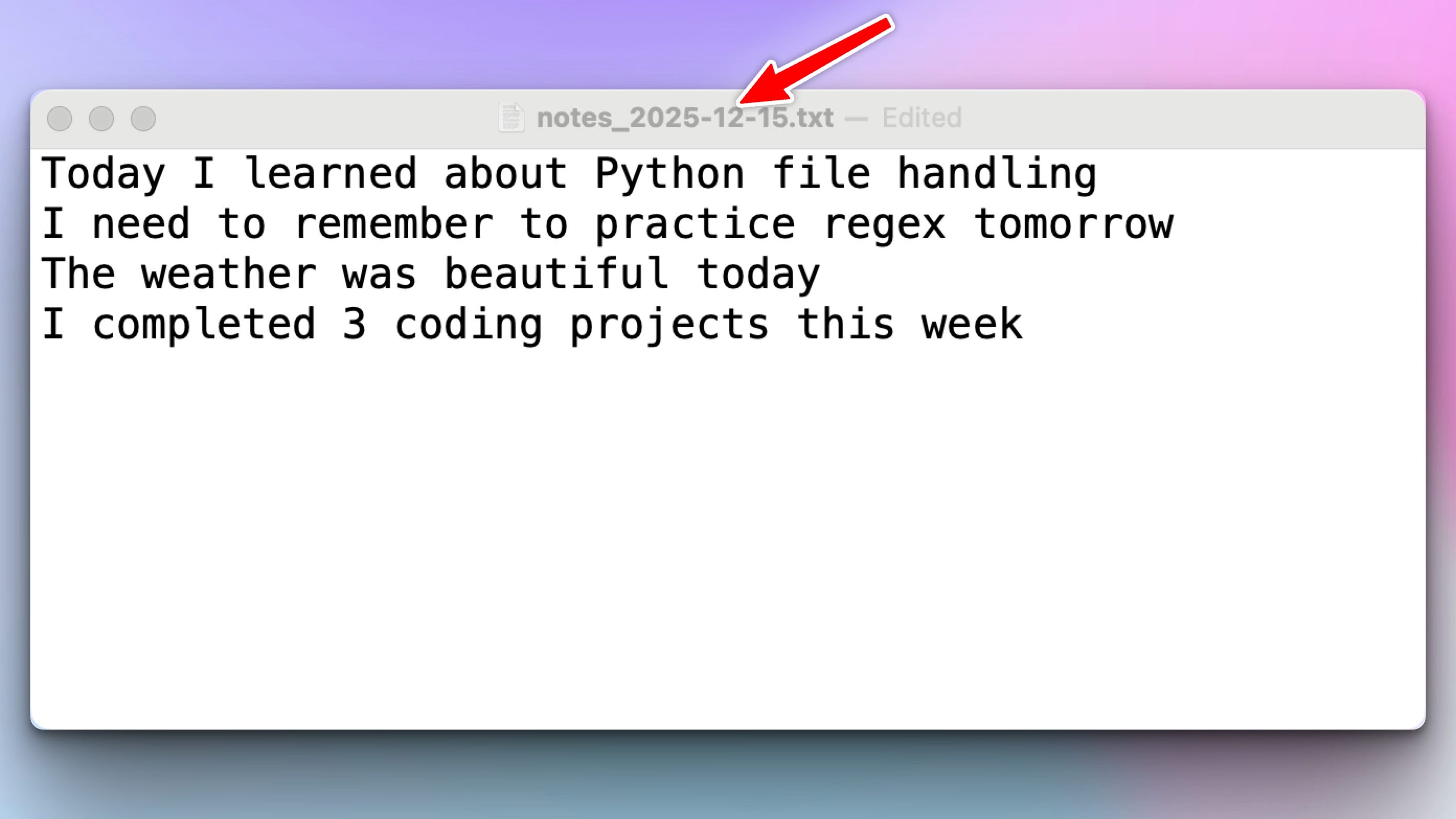
And here is the generated text file:
Join the Python & AI Builders Skool Community
Got questions to ask the author about this project? Join our Python & AI Builders community for weekly Python & AI videos and discussions:
https://skool.com/automateit

Skeleton and Solution
Below you will find both a downloadable skeleton.py file to help you code the project with comment guides and the downloadable solution.py file containing the correct solution.
Get the code skeleton here:
Keep reading with a 7-day free trial
Subscribe to Daily Python Projects to keep reading this post and get 7 days of free access to the full post archives.