

Build a Personal Finance Tracker - Day 4: With Web Interface
Level: Beginner

Projects in this week’s series:
This week, we progressively build a finance tracker with Python.
Day 1: Basic with Functions
Day 2: Object-Oriented
Day 3: With CSV Storage
Day 4: With GUI (Today)
Today’s Project
Welcome to the finale! This week we’ve built a finance tracker from scratch, progressing from basic functions to classes to persistent storage with budgets. Today we’re bringing it all together with a beautiful web interface and data visualizations.
This is the reward for all the groundwork we laid — turning our command-line app into a professional web dashboard that anyone can use!
Today’s Challenge: Build a Web Dashboard with Charts
Today we’re taking everything we’ve built and wrapping it in a modern web interface using Streamlit. We’ll add interactive forms, data tables, and visual charts showing your spending patterns.
This is the moment where your finance tracker becomes a real product — something you’d actually want to use every day!
Project Task
Create a web-based finance tracker dashboard that:
Uses Streamlit to create an interactive web interface
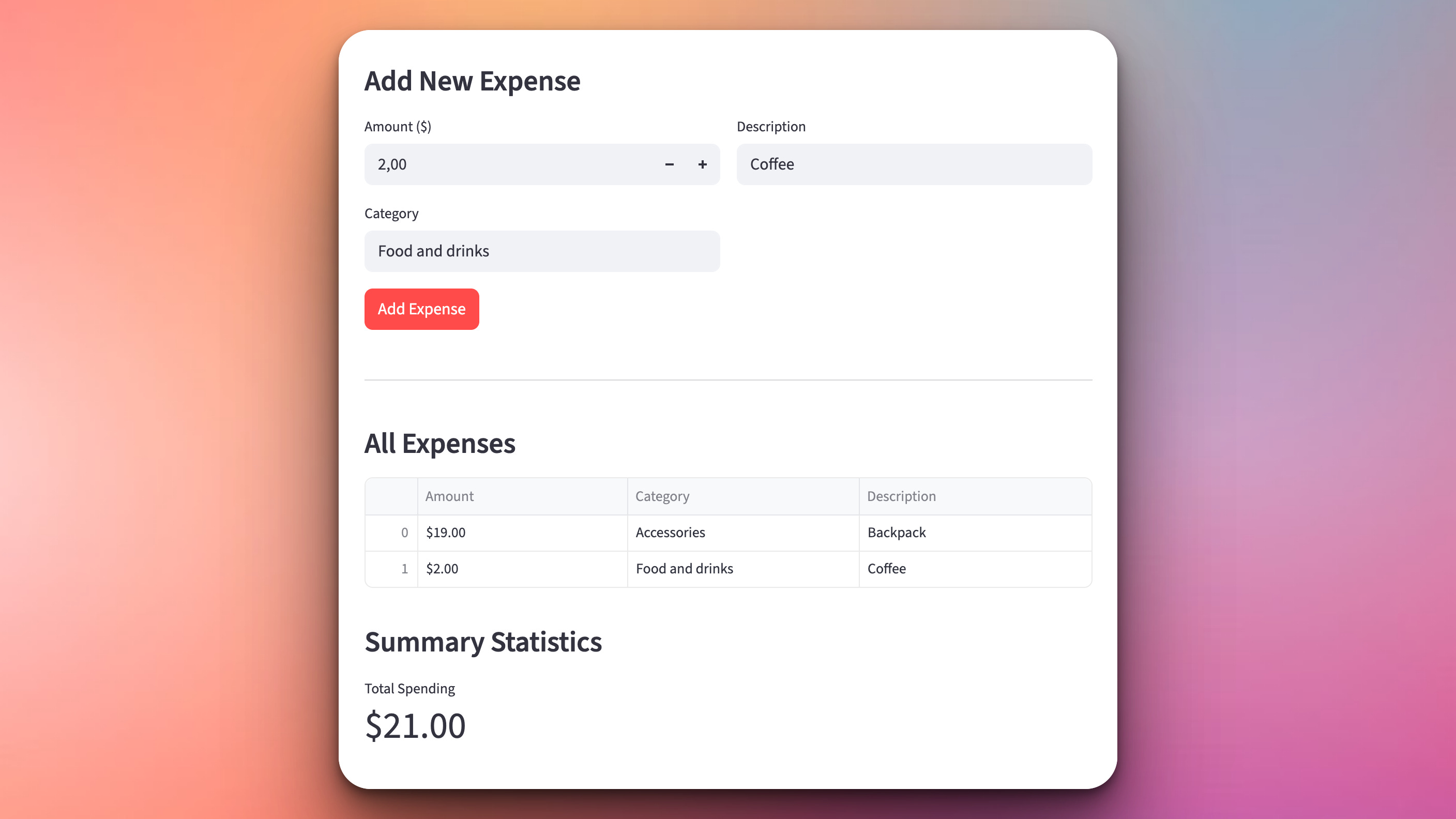
Displays an input form to add new expenses
Shows all expenses in a formatted table
Reads from and writes to the CSV file from Day 3
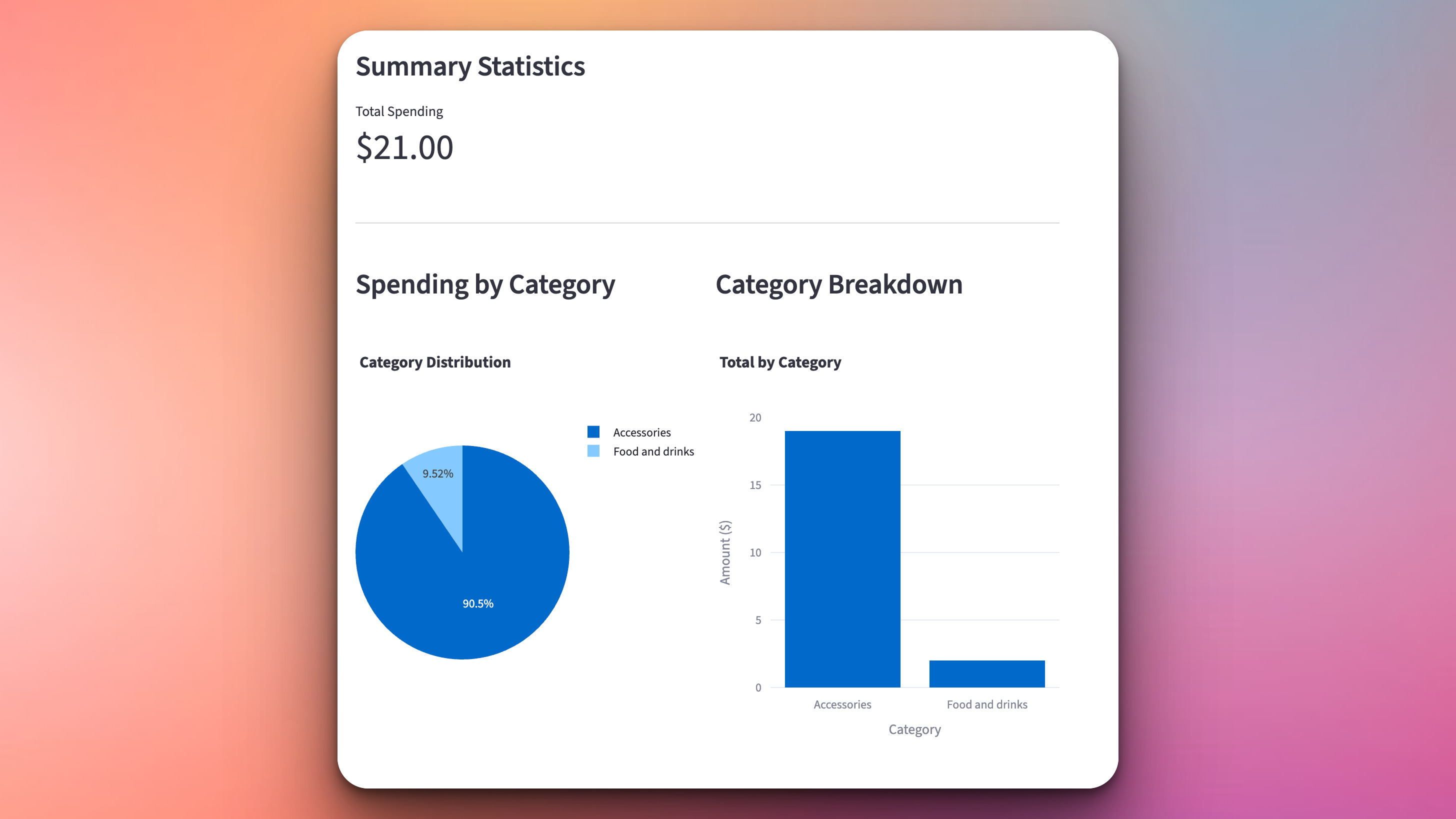
Generates a pie chart showing spending by category
Creates a bar chart comparing category totals
Shows budget warnings with visual indicators
Calculates and displays summary statistics
Uses our Expense and ExpenseTracker classes from previous days
This project gives you hands-on practice with web development, data visualization, UI design, and bringing together everything you’ve learned this week — essential skills for building real-world applications that people love to use.
Expected Output
Here is how the interface will look like. The user can add an expense and it will be appended to the table of expenses and the
Summary statistics and visualizations will also be automatically generated on the page:
What You’ve Accomplished This Week
🎉 Congratulations! You’ve built a complete finance tracker and learned:
Day 1: Function-based programming and MVP development
Day 2: Object-Oriented Programming with classes
Day 3: Data persistence with CSV and budget alerts
Day 4: Web interfaces and data visualization
You now have the skills to build real applications from scratch — and understand the entire development process!
View Code Evolution
Compare today’s solution with earlier versions and see how the code evolved from a simple script to a professional web app.
web interface huh? another great idea!