

Build a Private Local AI Chatbot: Day 1 - Rule Based Chatbot
Level: Beginner

This week’s project:
This week, we progressively build a private local AI chatbot with Python.
Why build this? Because privacy matters. Unlike ChatGPT or other cloud-based AI, your chatbot runs 100% on your computer — no data leaves your machine, no API costs, no internet required. You own it completely.
What you’ll learn: This series teaches you the full stack of AI chatbot development — from understanding how chatbots work with rules, to building professional interfaces, to integrating real AI models that run locally. These are production-ready skills that companies pay top dollar for.
We will build this over three days:
Day 1: Rule-Based Chatbot (CMD) (Today)
Day 2: Tkinter GUI Chatbot
Day 3: Local LLM Integration (Llama 3.2 1B)
Today’s Challenge: Build a Rule-Based Chatbot
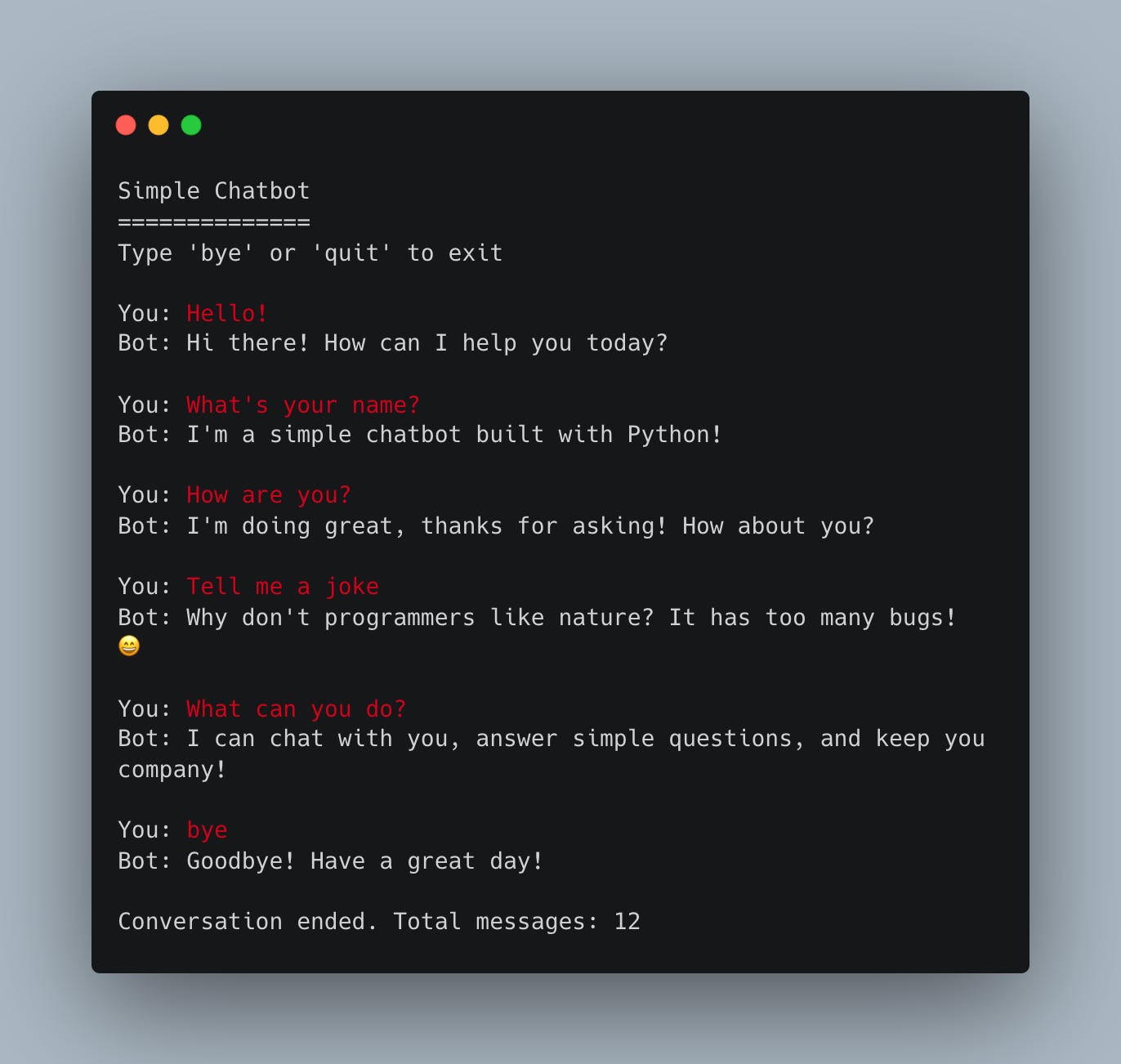
Today we’re creating a conversational chatbot that responds to user messages using pattern matching and predefined responses. It’ll handle greetings, questions, small talk, and maintain conversation history.
Why start here? Because you need to understand the basics — input/output loops, pattern matching, conversation flow — before we add GUI and AI. This is your chatbot foundation!
Project Task
Create a command-line chatbot that:
Runs in an infinite conversation loop
Responds to greetings (hello, hi, hey)
Answers simple questions (name, purpose, how are you)
Handles small talk and common phrases
Detects keywords to give relevant responses
Stores conversation history in a list
Exits gracefully with “bye” or “quit”
Uses only built-in Python (no external libraries)
This project gives you hands-on practice with string matching, conditional logic, loops, lists, and building interactive programs — essential skills for understanding how chatbots work before adding AI!
Expected Output
Coming Tomorrow
Tomorrow we’ll take this exact chatbot and wrap it in a beautiful desktop GUI using Tkinter! You’ll see your chatbot transform from a terminal app to a professional-looking chat interface with message bubbles and a send button!
Skeleton and Solution
Below you will find both a downloadable skeleton.py file to help you code the project with comment guides and the downloadable solution.py file containing the correct solution.
Get the code skeleton here:
Get the code solution here:
Solid breakdown of the progression from rules to LLMs. Starting with pattern matching makes sense pedagogically since it forces you to think about conversational state before abstracing it away. I actualy built something similar last year for a client project, and the biggest lesson was that evn with basic rules the edge cases compound fast. Privacy angle is smart too given the current climate around data soveriegnty.