

Build a Private Local AI Chatbot: Day 3 - Offline, Private, Local LLM
Level: Beginner

Projects in this week’s series:
This week, we progressively build a private local AI chatbot with Python.
Day 1: Rule-Based Chatbot (CMD)
Day 2: Tkinter GUI Chatbot
Day 3: Offline, Private, Local LLM (Llama 3.2 1B) (Today)
Today’s Project
Welcome to the finale! We’ve built a chatbot with rules and wrapped it in a professional GUI. Today we’re replacing the rule-based brain with real AI that runs 100% locally on your computer.
This is it — a private, offline ChatGPT-style assistant powered by Meta’s Llama 3.2 1B model. No API keys, no cloud, no costs, completely yours!
Today’s Challenge: Integrate Local AI with Llama 3.2 1B
Today we’re swapping out the pattern matching logic for a real language model. Your chatbot will understand context, remember conversations, and respond intelligently to anything you say.
This transforms your chatbot from a scripted bot into a real AI assistant — all running locally with complete privacy!
Project Task
Create a local AI-powered chatbot that:
Uses Ollama to run Llama 3.2 1B locally
Uses LangChain to connect Python to the AI model
Integrates with your Tkinter GUI from Day 2
Maintains conversation context across messages
Runs completely offline after setup
Requires no API keys or cloud services
Works with the same professional interface
This project gives you hands-on practice with local AI integration, LangChain framework, conversation management, and building production-ready AI applications — skills that are in massive demand right now!
Setup Instructions
Step 1: Install Ollama
Visit the official Ollama website and download the installer for your operating system:
🔗 https://ollama.com/download
Windows: Download the
.exeinstaller and run itMac: Download the
.dmgfile and drag to ApplicationsLinux: Run the install script from the website
After installation, Ollama will run in the background automatically.
Step 2: Download Llama 3.2 1B Model
Open your terminal/command prompt and run:
ollama pull llama3.2:1bThis downloads the 1B parameter model (about 1.3GB). Wait for it to complete.
Step 3: Verify Ollama is Running
Check that the model downloaded successfully:
ollama listYou should see llama3.2:1b in the list.
Step 4: Install Python Packages
Install LangChain and the Ollama integration:
pip install langchain langchain-ollama customtkinterWe are using latest LangChain 1 version here.
Step 5: Run Your Chatbot!
Run the Python script and start chatting with your private AI assistant!
Expected Output
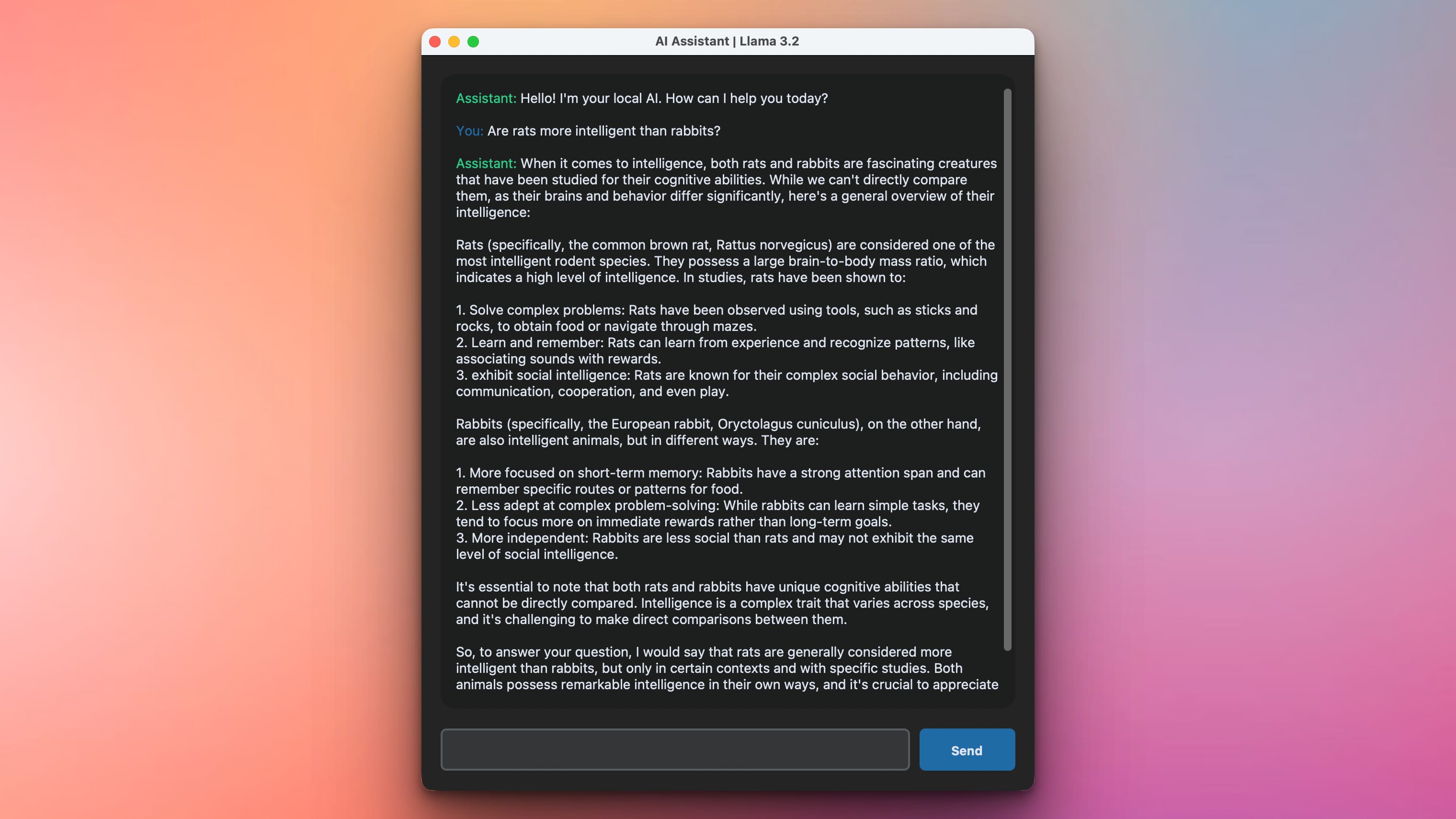
This is what the solution in this project will produce. The user can chat with the LLM 100% offline and fully private. Your data are not sent anywhere.
What You’ve Accomplished This Week
🎉 Congratulations! You’ve built a complete private AI chatbot and learned:
Day 1: How chatbots work with pattern matching
Day 2: Building professional GUIs with Tkinter
Day 3: Integrating local AI models with LangChain
You now have a fully functional AI assistant that:
Runs 100% locally (complete privacy)
Works offline (no internet needed)
Costs nothing to run (no API fees)
Understands context and nuance
Has a professional interface
This is production-ready AI you control completely!
View Code Evolution
Compare today’s solution with earlier versions and see how we evolved from simple rules to real AI.
Keep reading with a 7-day free trial
Subscribe to Daily Python Projects to keep reading this post and get 7 days of free access to the full post archives.