

Build a Telegram Bot: Day 1 - Send Telegram Messages with Python
Level: Beginner

Projects in this week’s series:
This week, we progressively build a Telegram bot that is connected to AI so it can behave like a real LLM. Users can chat with it just like they chat with ChatGPT.
Why build this? Because Telegram is one of the most popular messaging platforms, and being able to send automated messages opens endless possibilities — notifications, alerts, AI conversations, updates, all delivered straight to your phone!
What you’ll learn: This series teaches you bot creation, API integration with messaging platforms, command handling, scheduled tasks, and building automation tools. These skills apply to any messaging bot or notification system.
Day 1: Send Telegram Messages with Python (Today)
Day 2: Interactive Telegram Bot
Day 3: AI-Powered Bot with Gemini
Today’s Project
We’re starting with the foundation: we’re creating a script that sends messages to Telegram using Python. You’ll set up your own bot, get credentials, and send text messages programmatically — the building block for all Telegram automation!
You’ll learn how to create Telegram bots, authenticate with the API, and send messages to yourself or groups!
Project Task
Create a Telegram message sender that:
Creates a Telegram bot via BotFather
Sends text messages to yourself
Sends messages to specific users (by chat ID)
Sends formatted messages (bold, italic, code)
Sends messages with buttons (inline keyboard)
Sends photos with captions
Handles errors gracefully
Stores bot credentials securely
This project gives you hands-on practice with Telegram Bot API, message formatting, file uploads, and building notification systems — essential skills for automation and bot development!
Expected Output
The Python program, when executed, it will ask the user to type in a message (e.g., “Hellooooo”):
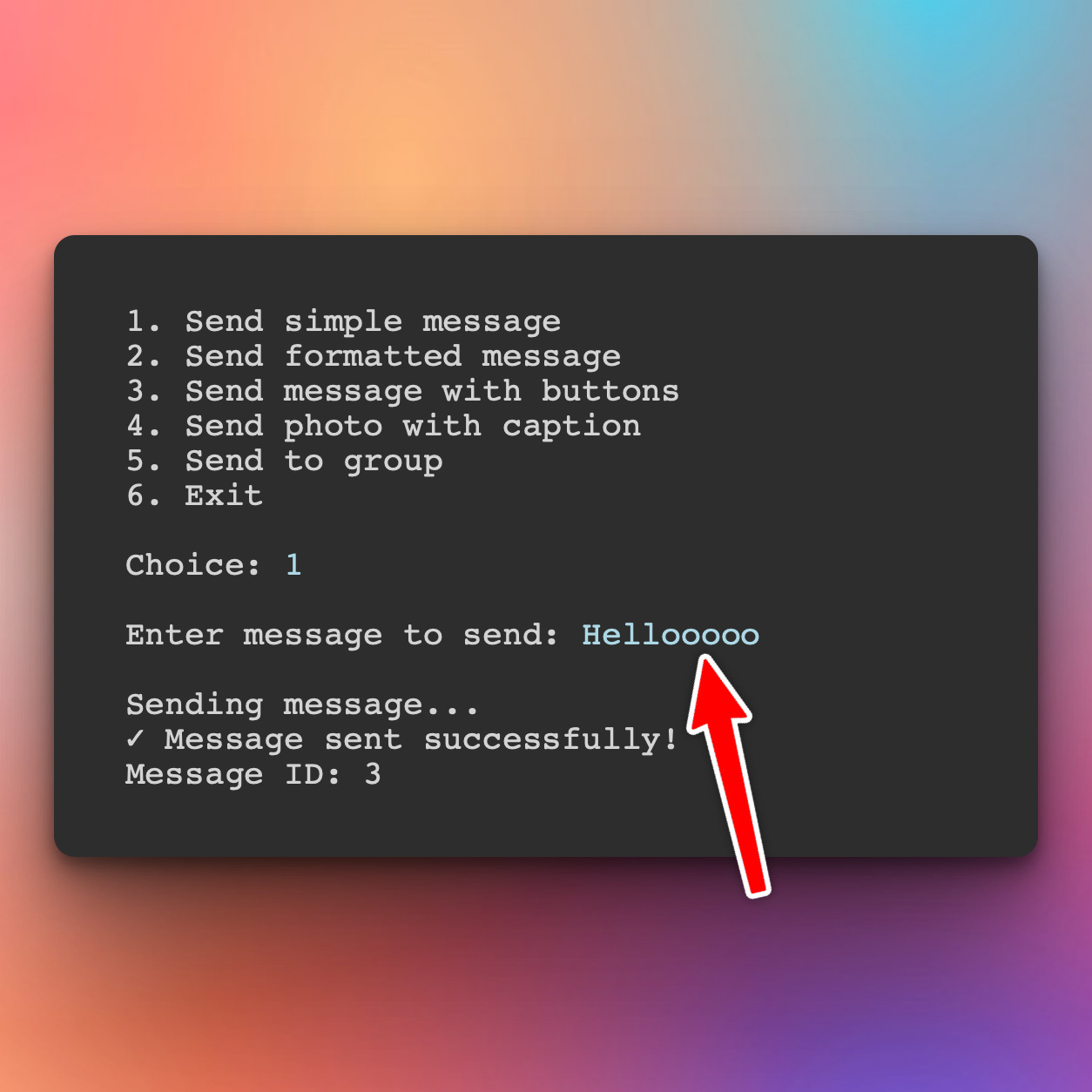
So, here is what happening:
You run the Python script on your computer
The script sends a message to Telegram’s servers using your bot’s token (i.e., Hellooooo)
Telegram servers deliver the message to the chat ID you specify when you set up the bot
You receive the message in your Telegram app (from your bot). Here is “Hellooooo” message I received from my TheGreatMarvellousBot.
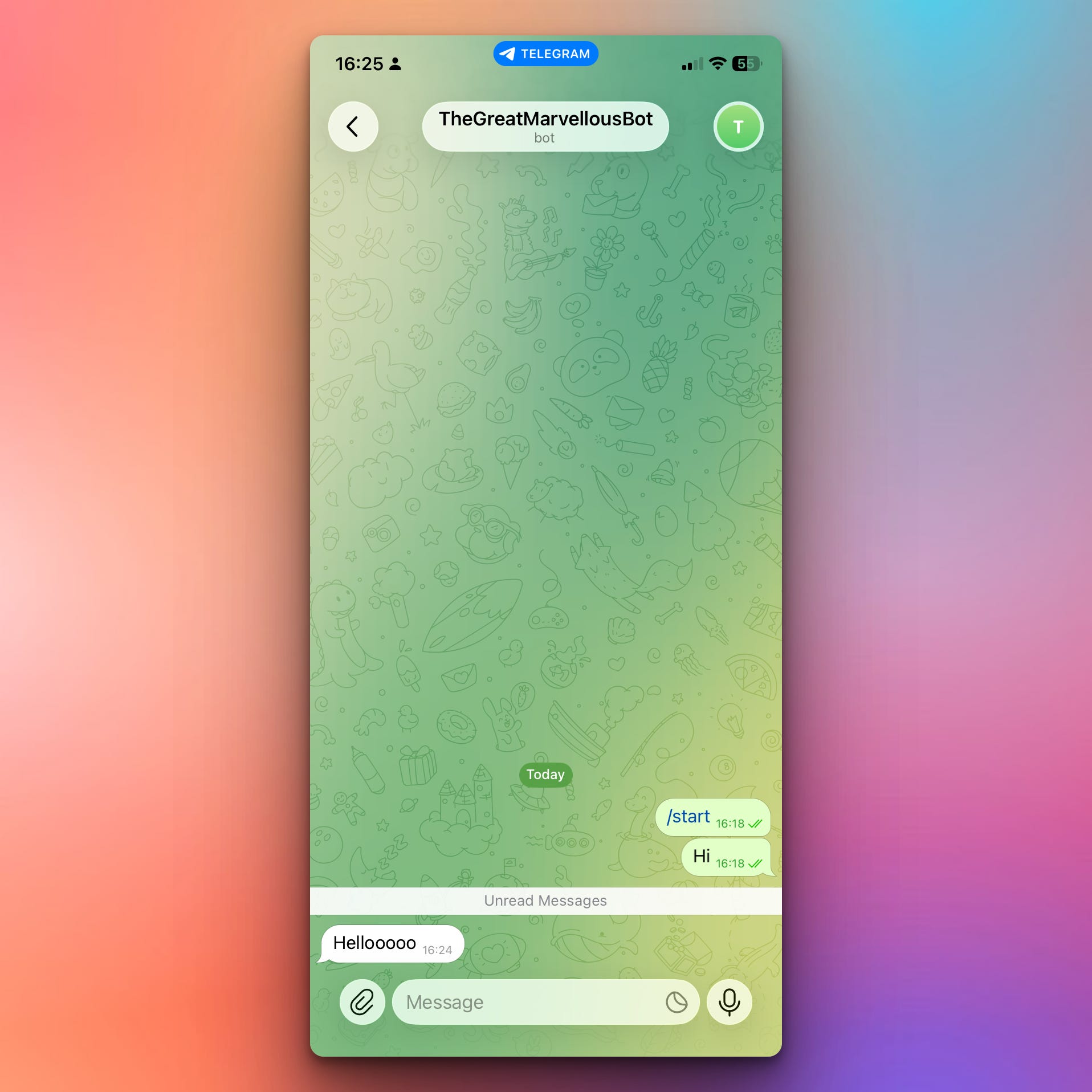
So Python is sending messages to me on Telegram on behalf of TheGreatMarvellousBot.
This is just today’s version, but tomorrow and the day after that we will extend the app and generate those messages dynamically with Python.
Setup Instructions
Step 1: Create Your Telegram Bot
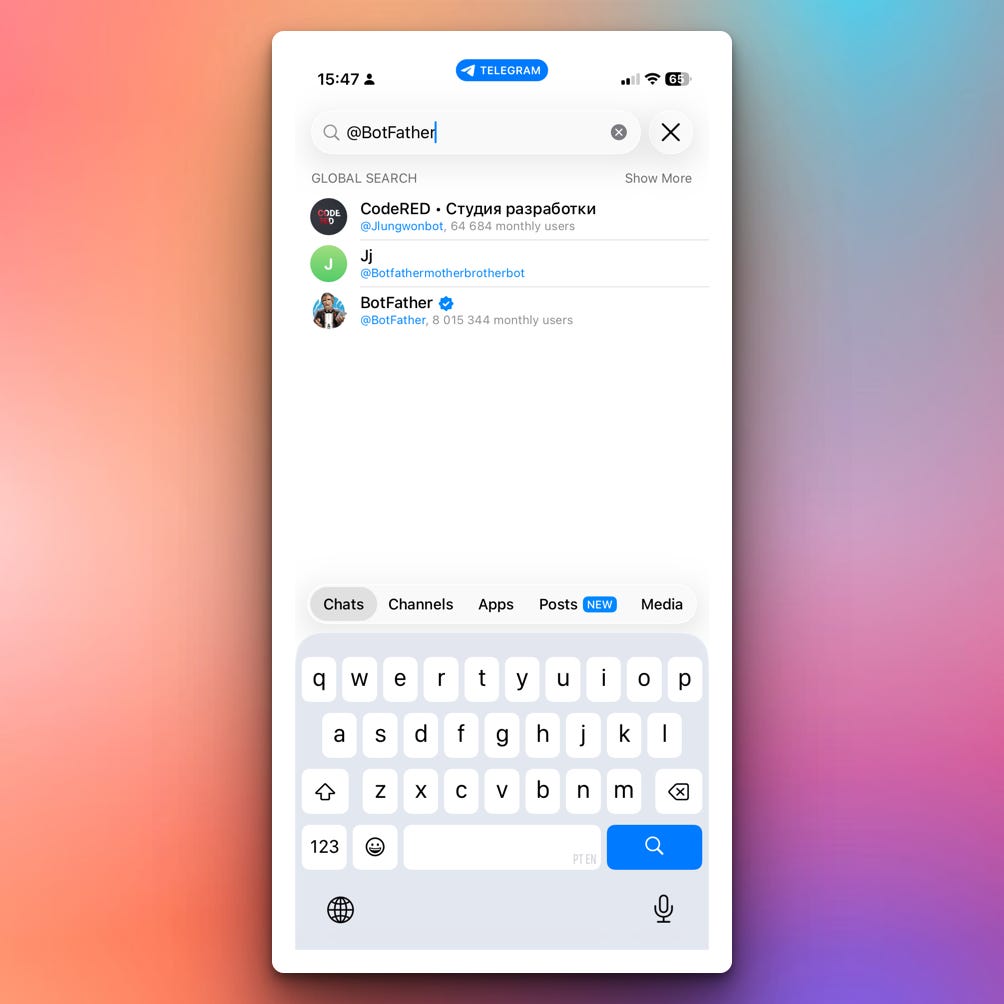
Open Telegram and search for @BotFather
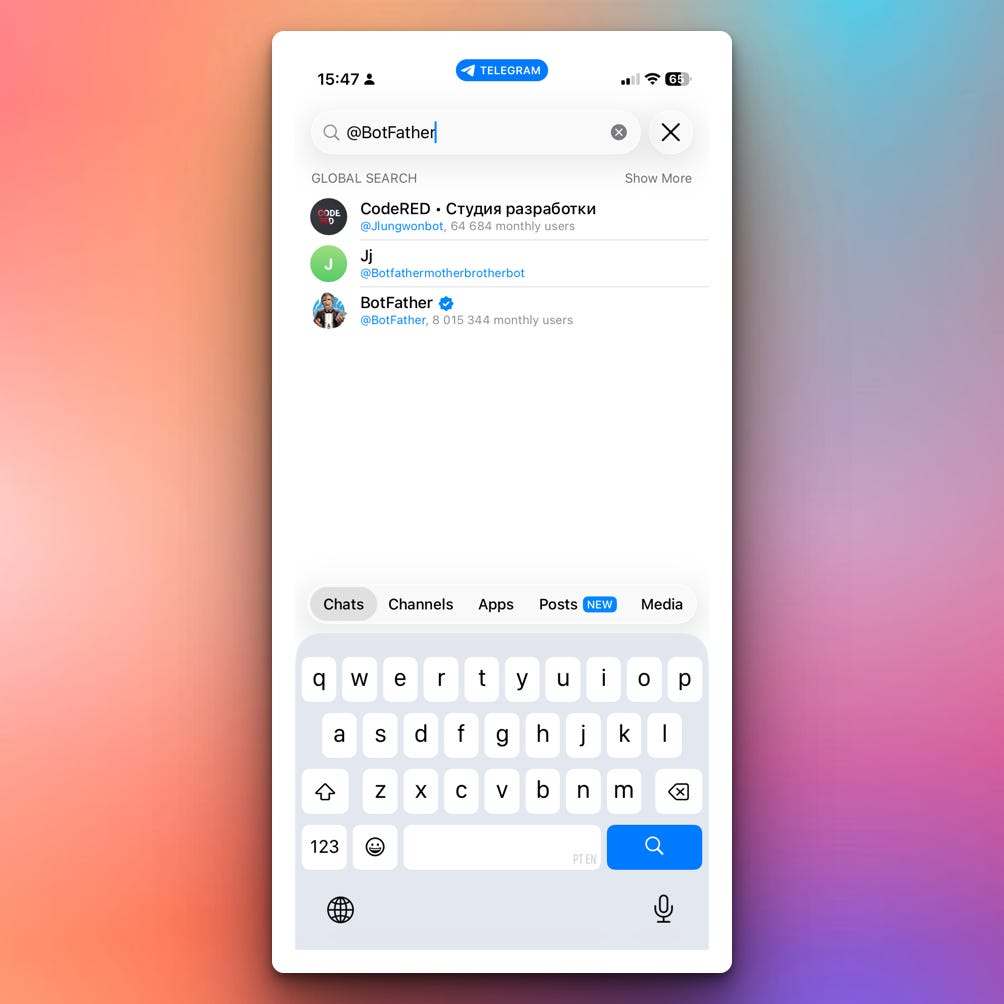
Click on @BotFather
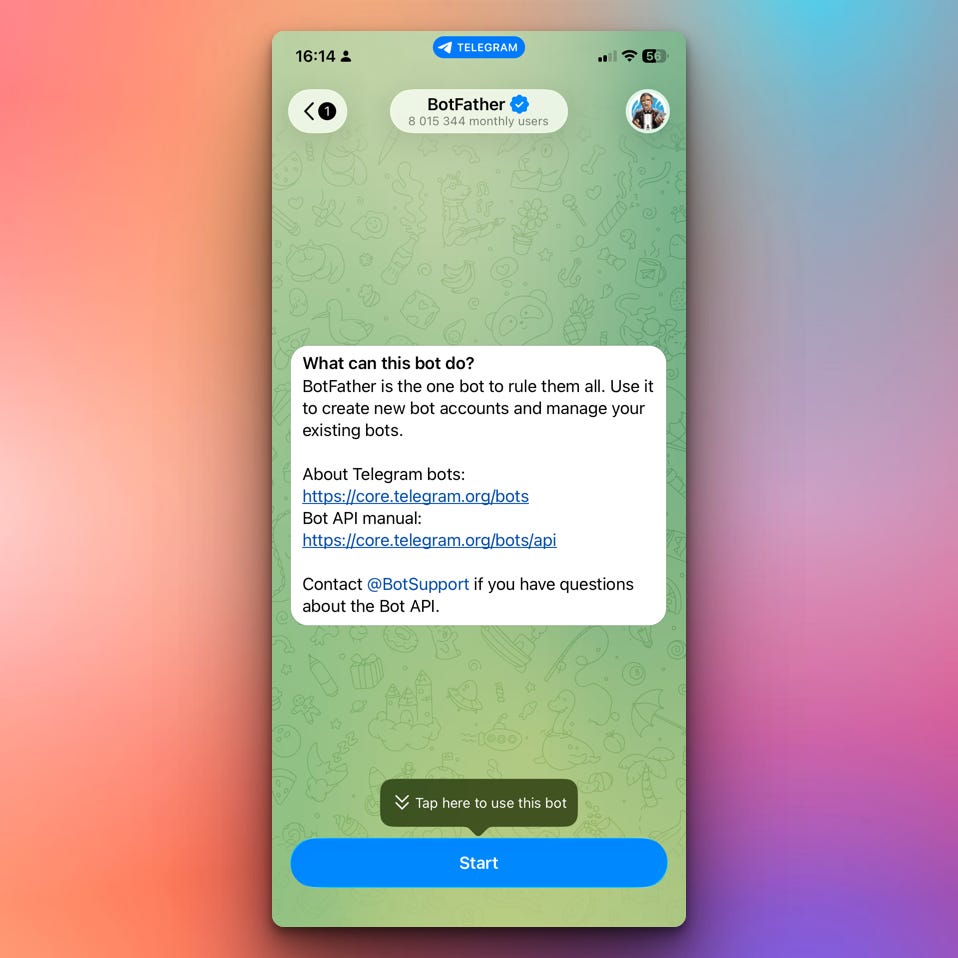
(Some users may have to delete the search text for an Open button to be visible)Click the “Start” button. Some users may see a “Create New Bot” button instead.
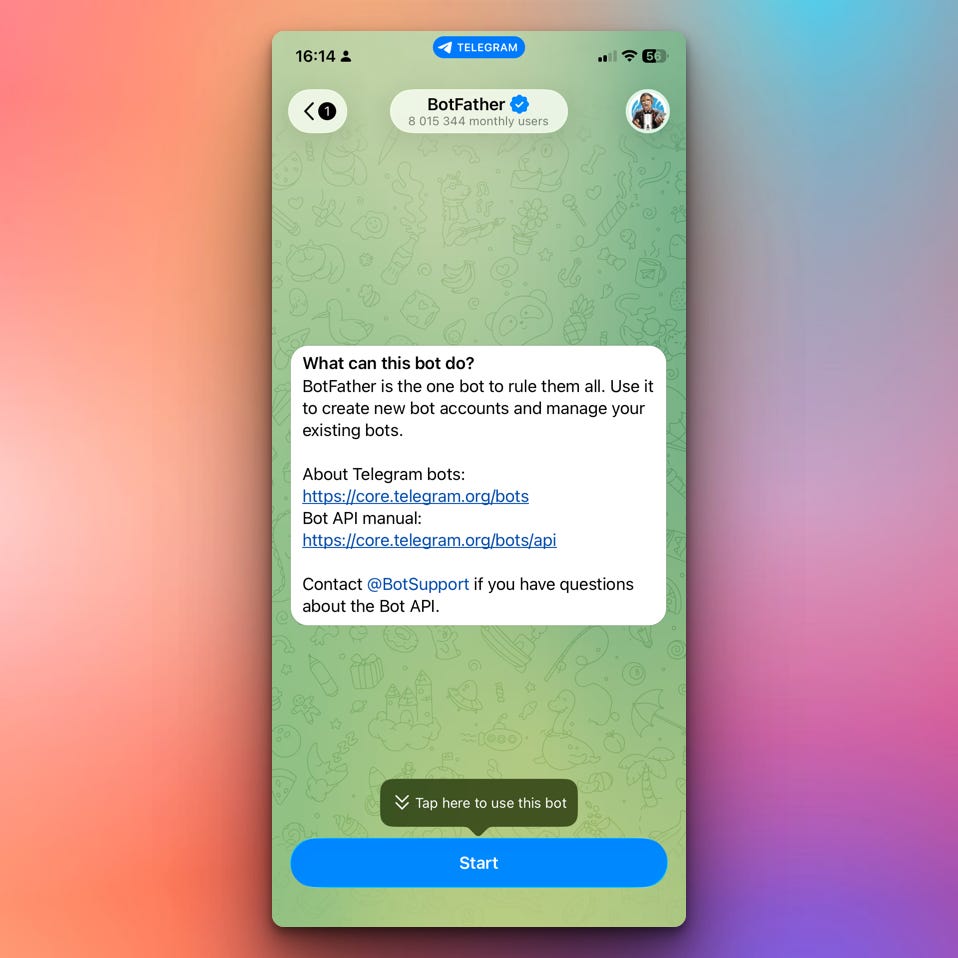
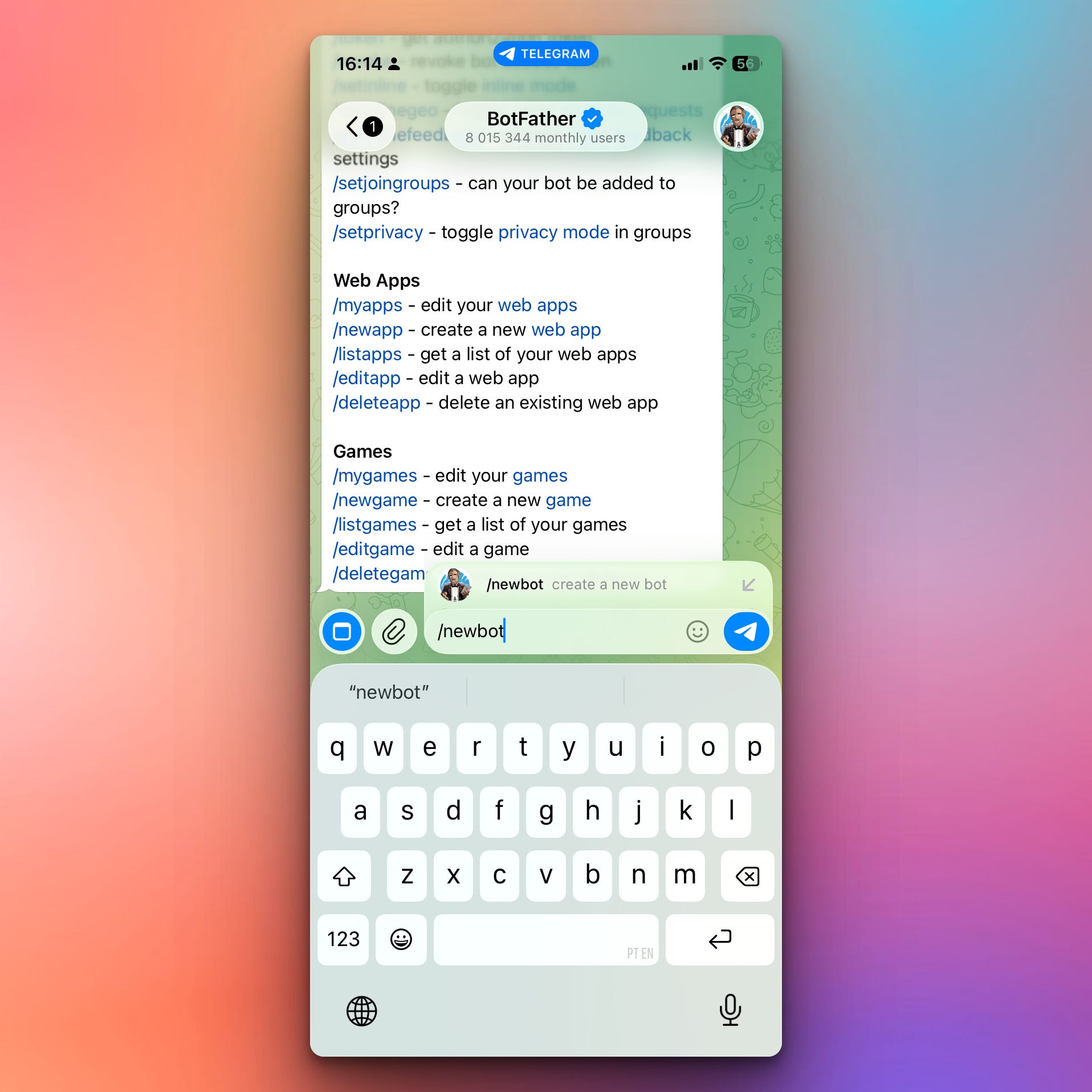
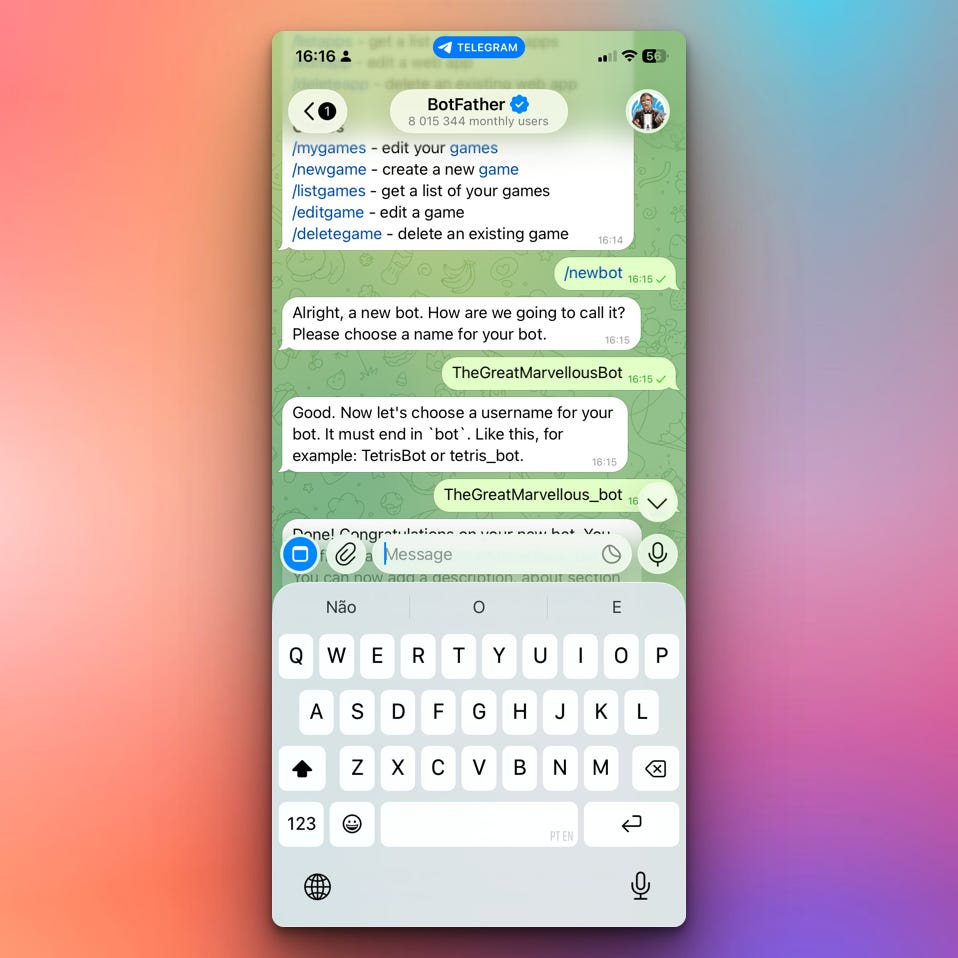
Send the /newbot message to BotFather
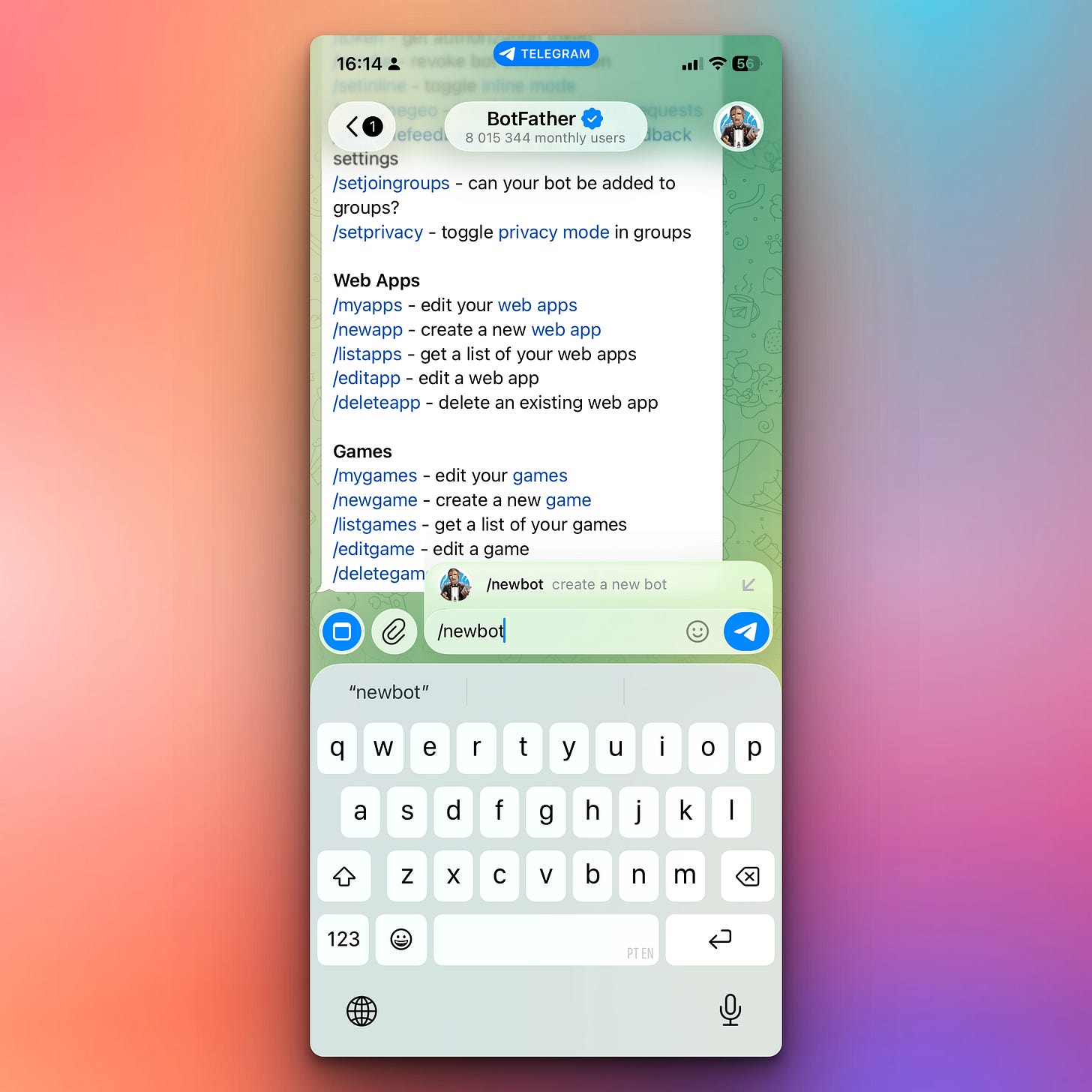
BotFather will ask you to enter a name for your bot (e.g., “TheGreatMarvellousBot”). Some users may see a form to fill in with the name instead.
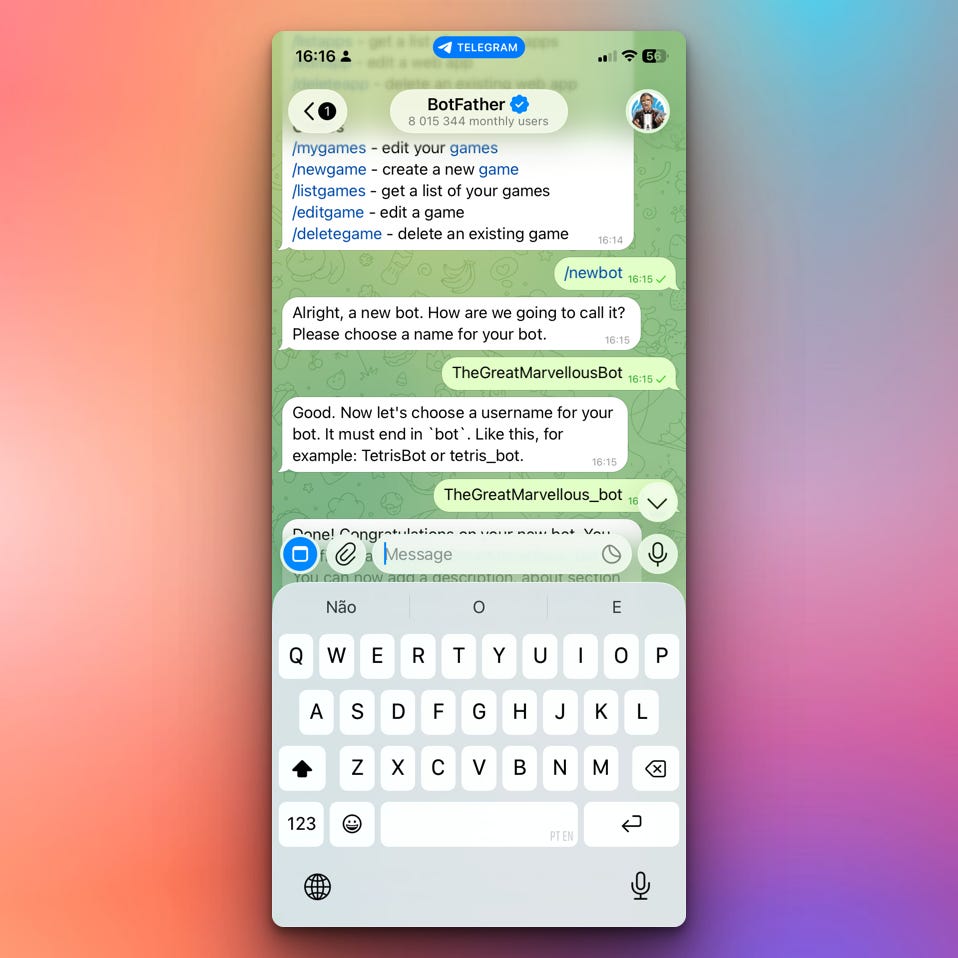
Choose a username (must end in ‘bot’, e.g., “TheGreatMarvellous_bot”)
Copy the BOT token (looks like:
123456789:ABCdefGHIjklMNOpqrsTUVwxyz)
Step 2: Get Your Chat ID
Search for @userinfobot in Telegram or getmyid_bot if that does not work in Telegram
Start a chat
It will send you your chat ID (e.g.,
123456789)Save this number - this is where messages will be sent
Step 3: Place the credentials in your .py script which you got from step 1.7 and step 2.3:
BOT_TOKEN = "ENTER YOUR TELEGRAM_BOT_TOKEN"
CHAT_ID = "ENTER YOUR TELEGRAM_CHAT_ID"
For more security, you can use a .env file instead of placing the credentials in your .py script.
Step 4: Install Required Package
pip install python-telegram-bot python-dotenvStep 5: Test Your Bot
Start a chat with your bot in Telegram (search for its username)
Send
/startto activate itRun the Python script. Your script is now more or less your Telegram bot but we will make it more interactive in tomorrow’s project. However, your script can now send messages to the bot when executed.
For example here, the Python script (i.e., your bot) sends “Helloooo” to you on Telegram.
This is just the beginning, but you can generate those messages dynamically with Python, connect Python to AI to generate the messages, etc. Possibilities are endless.
Coming Tomorrow
Tomorrow we’ll make the bot interactive — it will receive your messages, understand commands like /start and /help, respond based on user input, and have real two-way conversations!
Skeleton and Solution
Below you will find both a downloadable skeleton.py file to help you code the project with comment guides and the downloadable solution.py file containing the correct solution.
Get the code skeleton here:
Get the code solution here: