

Build a Text to Image Generator App with Python
Level: Real World

Your task for today is to create a simple web app that converts text descriptions into AI-generated images using Stable Diffusion — giving beginners hands-on experience with AI image generation in just a few lines of code.
Project Task
Create a text to image generator that:
Uses Streamlit to create a simple web interface
Integrates with Stability AI’s API for image generation
Takes text descriptions from users as input
Generates images based on the text prompts
Displays the generated image directly in the browser
Includes a download button to save images
Loads API credentials securely from environment variables
Provides example prompts to help users get started
This project gives you hands-on practice with AI APIs, image generation, web interfaces, and working with binary data — essential skills for building modern AI-powered applications.
Expected Output
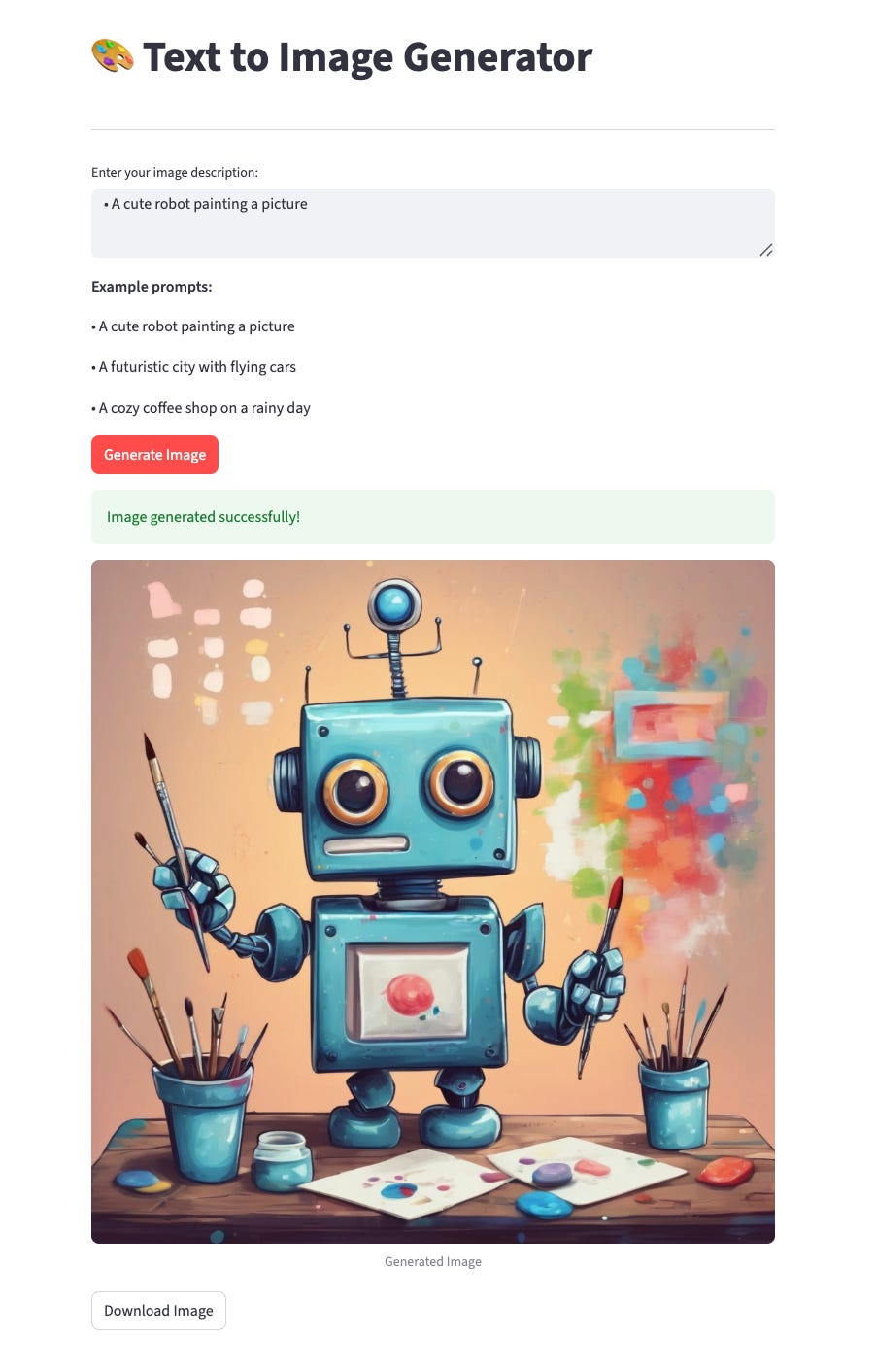
The user can enter example prompts such as:
• A cute robot painting a picture
• A futuristic city with flying cars
• A cozy coffee shop on a rainy day
And the program will generate the image and display it on the browser. Here is an example I did:
Join the Python & AI Builders Skool Community
Got questions to ask the author about this project? Join our Python & AI Builders community for weekly Python & AI videos and discussions:
https://skool.com/automateit
Skeleton and Solution
Below you will find both a downloadable skeleton.py file to help you code the project with comment guides and the downloadable solution.py file containing the correct solution.
Get the code skeleton here:
Keep reading with a 7-day free trial
Subscribe to Daily Python Projects to keep reading this post and get 7 days of free access to the full post archives.