

Build a Web Scraper to Database Pipeline - Day 4: Automated Scheduler + Email Alerts
Level: Real World

Projects in this week’s series:
This week, we progressively build a web scraper to database pipeline with Python.
Day 1: Basic Web Scraper
Day 2: Multiple Products + CSV Storage
Day 3: SQLite Database + Change Tracking
Day 4: Automated Scheduler + Email Alerts (Today)
Today’s Project
Welcome to the finale! This week we’ve built a price tracking system from scratch — from a simple scraper to a database-powered monitoring tool. Today we’re adding the final piece: automation and email alerts.
No more manually running scripts! Today you’ll set up your scraper to run automatically and email you when prices drop below your target. This is real automation that saves you time and money!
Today’s Challenge: Schedule Automation + Price Drop Alerts
Today we’re making your price tracker fully autonomous. It’ll run on a schedule, check for price drops, and email you when it finds deals you care about.
This is the difference between a tool you use and a system that works for you. Set your price targets once, and let the automation handle the rest!
Project Task
Create an automated price monitoring system that:
Runs the scraper automatically (demonstrates scheduling logic)
Lets you set target prices for books you want
Sends email alerts when prices drop below your targets
Includes price change details in the email
Shows current price vs. target price
Summarizes all deals found in one email
Uses environment variables for email credentials
This project gives you hands-on practice with automation, email integration, environment variables, conditional alerts, and building production-ready tools — essential skills for creating systems that run on their own!
Expected Output
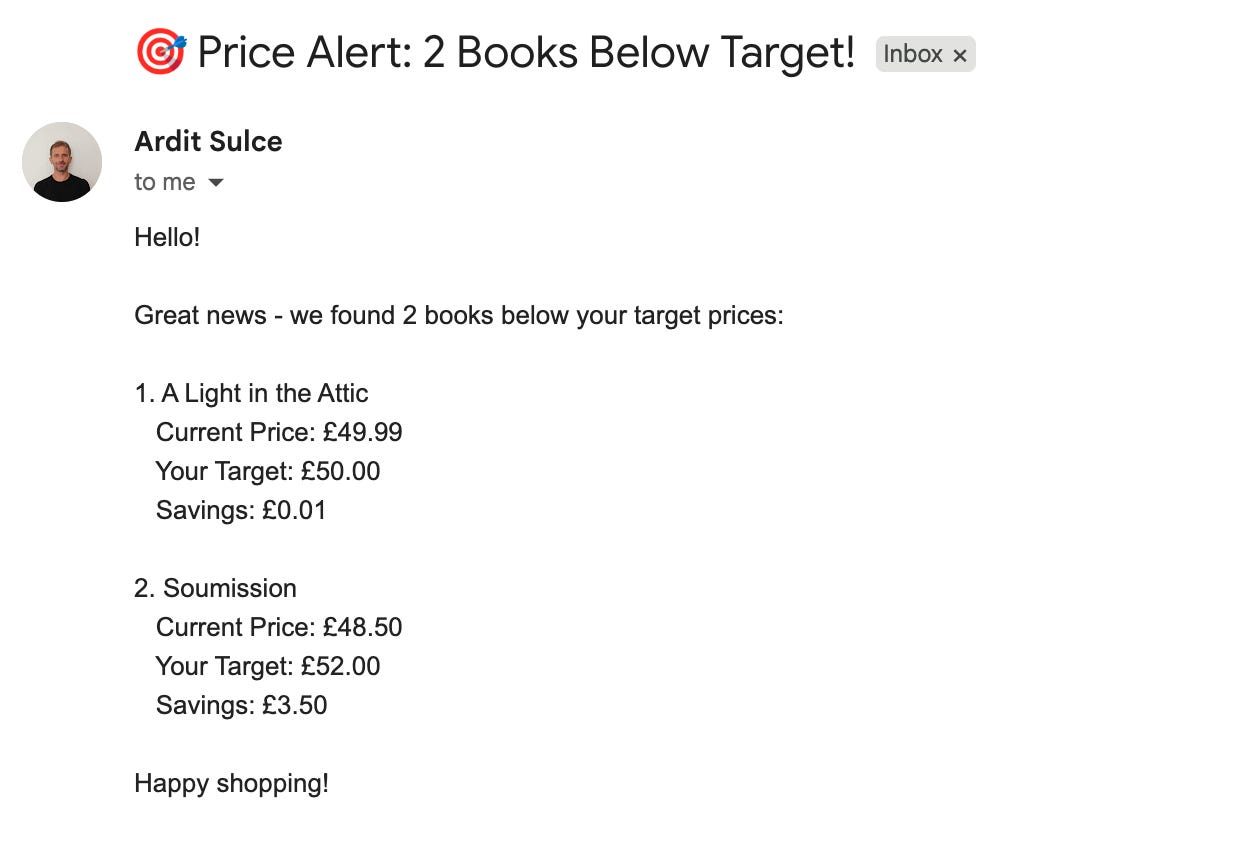
Whenever the script runs (by you or automatically by a server scheduler such as that on PythonAnywhere), it is going to send an email with the alert on the price. Here is how the email will look like:
What You’ve Accomplished This Week
🎉 Congratulations! You’ve built a complete automated price monitoring system and learned:
Day 1: Web scraping fundamentals
Day 2: Data persistence with CSV files
Day 3: Database operations and change detection
Day 4: Automation and email notifications
You now have a production-ready tool that monitors prices 24/7!
How to schedule it:
Windows: Use Task Scheduler to run daily
Mac/Linux: Use cron jobs (e.g.,
0 9 * * * python solution.py)Cloud: Deploy to PythonAnywhere, Heroku, or AWS Lambda (the easiest one is PythonAnywhere)
View Code Evolution
Compare today’s solution with earlier versions and see how we evolved from a basic scraper to a fully automated monitoring system.
Keep reading with a 7-day free trial
Subscribe to Daily Python Projects to keep reading this post and get 7 days of free access to the full post archives.