

Build a Workout Tracker Suite: Day 2- Workout Logger with Live Charts
Today we’re adding workout logging with live progress charts!
Projects in this week’s series:
This week, we build a Workout Tracker Suite that helps you log lifts, visualize progress, and optimize your training — perfect for anyone serious about strength training!
Day 1: Barbell Plate Calculator (Tkinter GUI)
Day 2: Workout Logger with Live Charts (Today)
Day 3: Complete Workout Dashboard
Today’s Project
Yesterday we built a plate calculator. Today we’re adding workout logging with live progress charts! Log your sets, track your PRs, and see your strength gains visualized in real-time!
You’ll enhance the app into a complete training tracker with embedded matplotlib charts!
Project Task
Enhance the plate calculator with workout logging:
Log exercises with sets, reps, weight, and RPE
Save workouts to CSV with timestamps
Live progress chart showing weight over time
Personal records (PR) tracker
Exercise history viewer
Volume calculations (sets × reps × weight)
Filter by exercise and date range
Embedded matplotlib charts in Tkinter
All Day 1 features still work
This project gives you hands-on practice with CSV data storage, pandas data analysis, matplotlib integration in Tkinter, data visualization, progressive overload tracking, and building data-driven fitness tools — essential skills for analytics applications!
Expected Output
Running the enhanced workout logger:
python workout_logger.py
Log a workout:
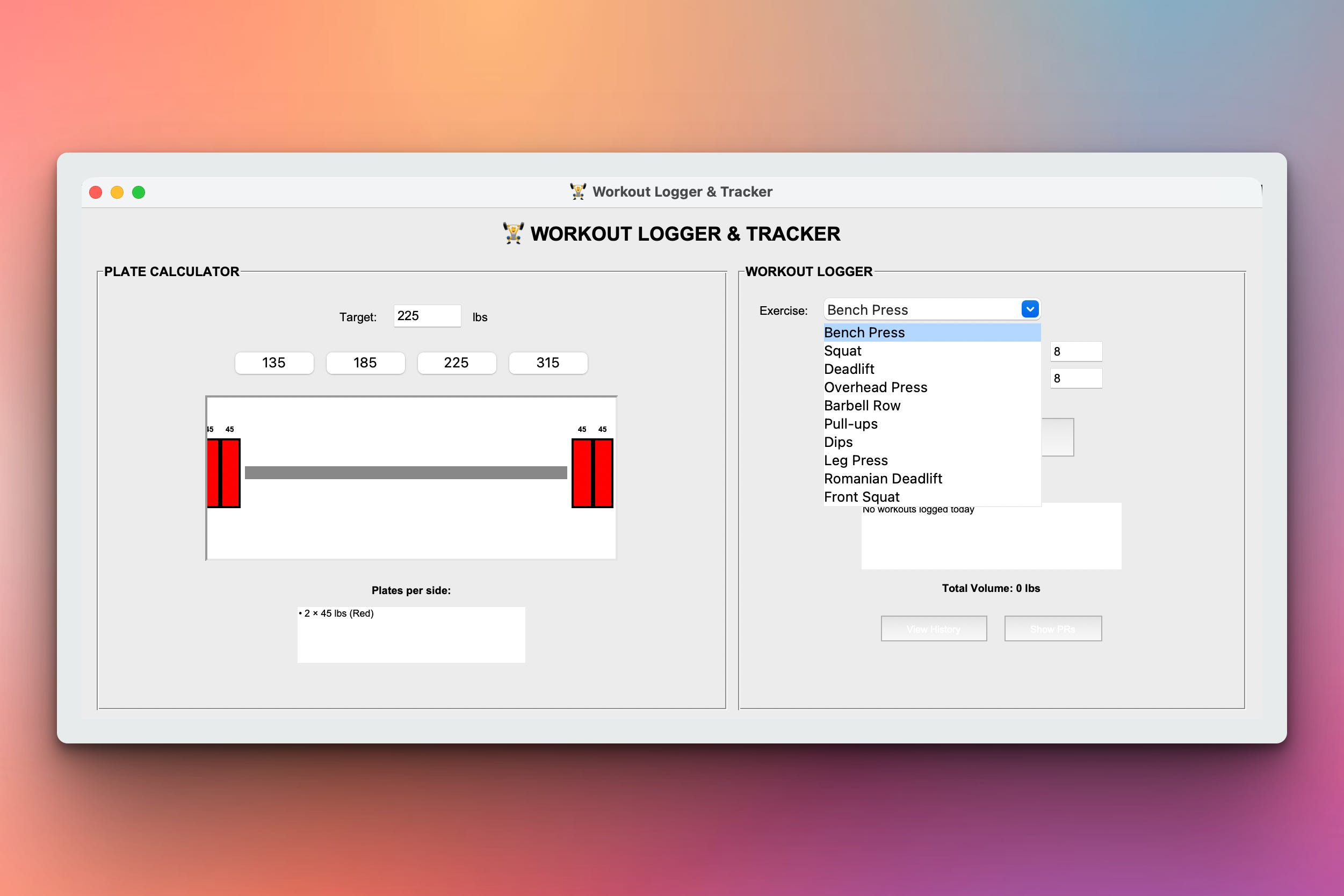
In this version the user can log in a workout such as bench press, squat, etc. These can be chosen from the drop down list:
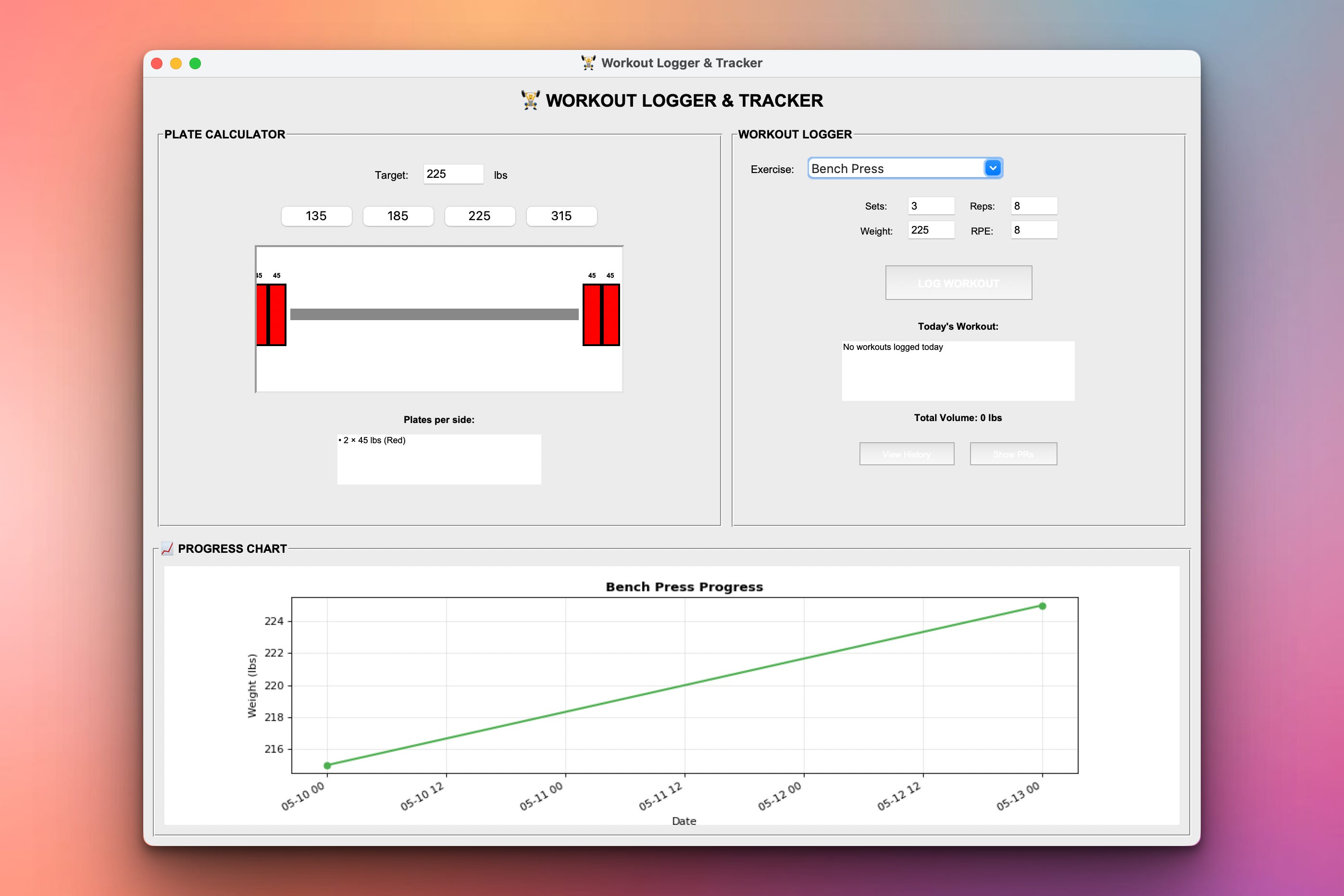
After some days, you will see a weight progress at the bottom part of the GUI showing how your weights have changed over time:
CSV file generated:
Every time you log in a workout, the data are saved in a local workouts.csv file. For the example demonstrated above, here is how the file looks like:
date,time,exercise,sets,reps,weight,rpe,volume
2026-05-13,14:30:00,Bench Press,3,8,225,8,5400
2026-05-13,14:45:00,Squat,4,6,315,9,7560
2026-05-13,15:00:00,Deadlift,3,5,405,9,6075
2026-05-10,15:15:00,Bench Press,4,6,215,7,5160
2026-05-10,15:30:00,Squat,3,8,295,8,7080
Setup Instructions
Install Required Package:
pip install matplotlib pandasRun the logger:
python workout_logger.py
Data storage:
Workouts saved to
workouts.csvautomaticallyPRs tracked automatically
Charts update in real-time
Understanding CSV Workout Storage
Why CSV for workouts?
Keep reading with a 7-day free trial
Subscribe to Daily Python Projects to keep reading this post and get 7 days of free access to the full post archives.