

Build a simple Obsidian-Style Notes Viewer with Graph Visualization
Level: Real World

Your task for today is to create a desktop notes application that reads local markdown files, supports wiki-style linking with [[brackets]], and visualizes connections between notes in an interactive graph — bringing the power of Obsidian’s knowledge graph to your own Python app. Lets to it!
Project Task
Create an Obsidian-style notes viewer that:
Uses tkinter to create a desktop GUI application
Loads and displays all markdown files from a selected folder
Shows notes list in a sidebar and content in a text editor
Supports wiki-style links using [[note name]] syntax
Extracts links from notes using regular expressions
Allows editing and saving notes directly in the app
Generates a graph view showing connections between notes
Uses NetworkX to build the connection graph
Visualizes the graph with matplotlib showing nodes and edges
This project gives you hands-on practice with GUI development, regex patterns, graph theory, data visualization, and building knowledge management tools — essential skills for creating complex desktop applications.
Expected Output
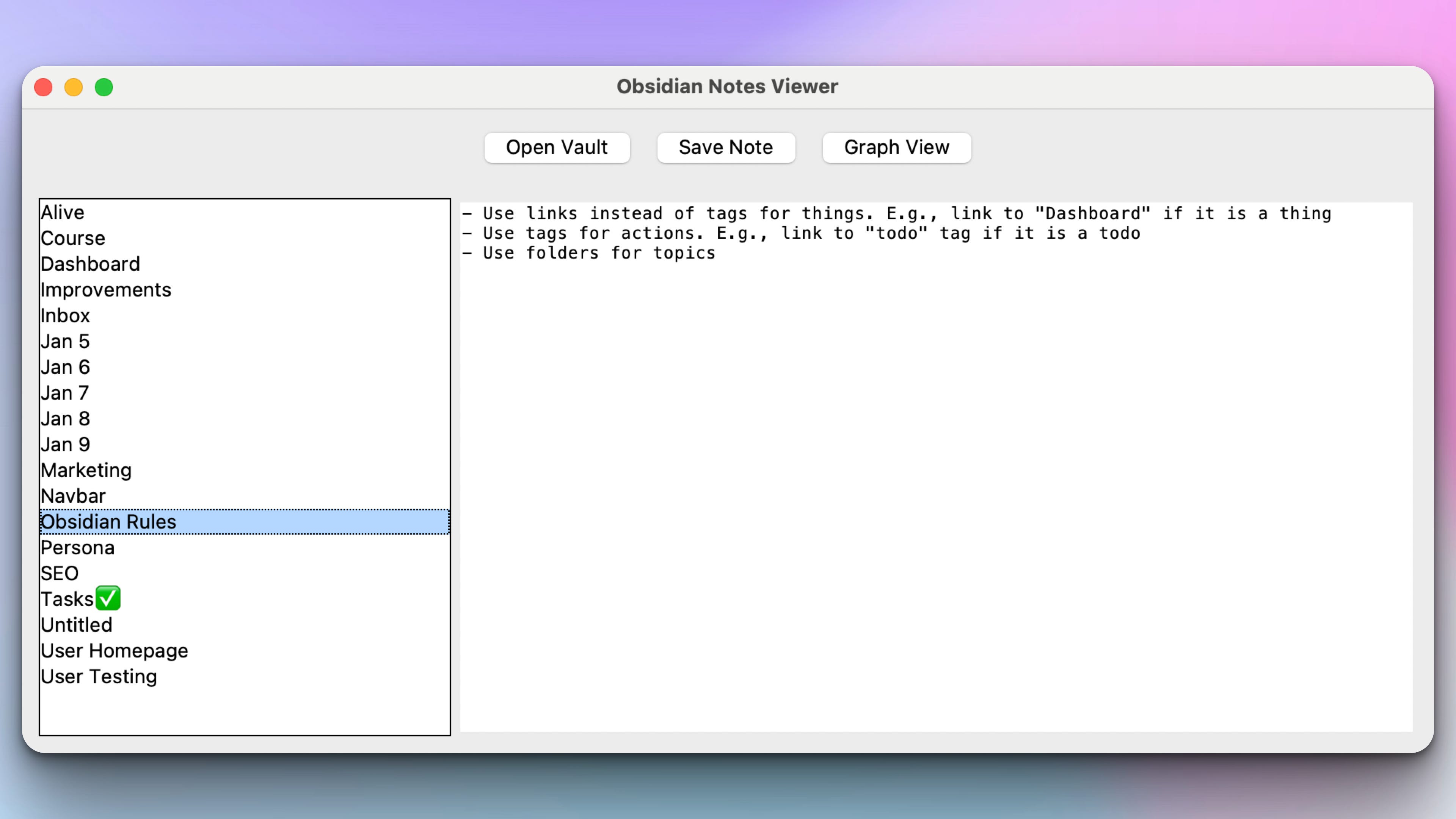
The program automatically lists all .md files on the left sidebar. Clicking a file on the sidebar displays the content of that file and the user can edit the content:
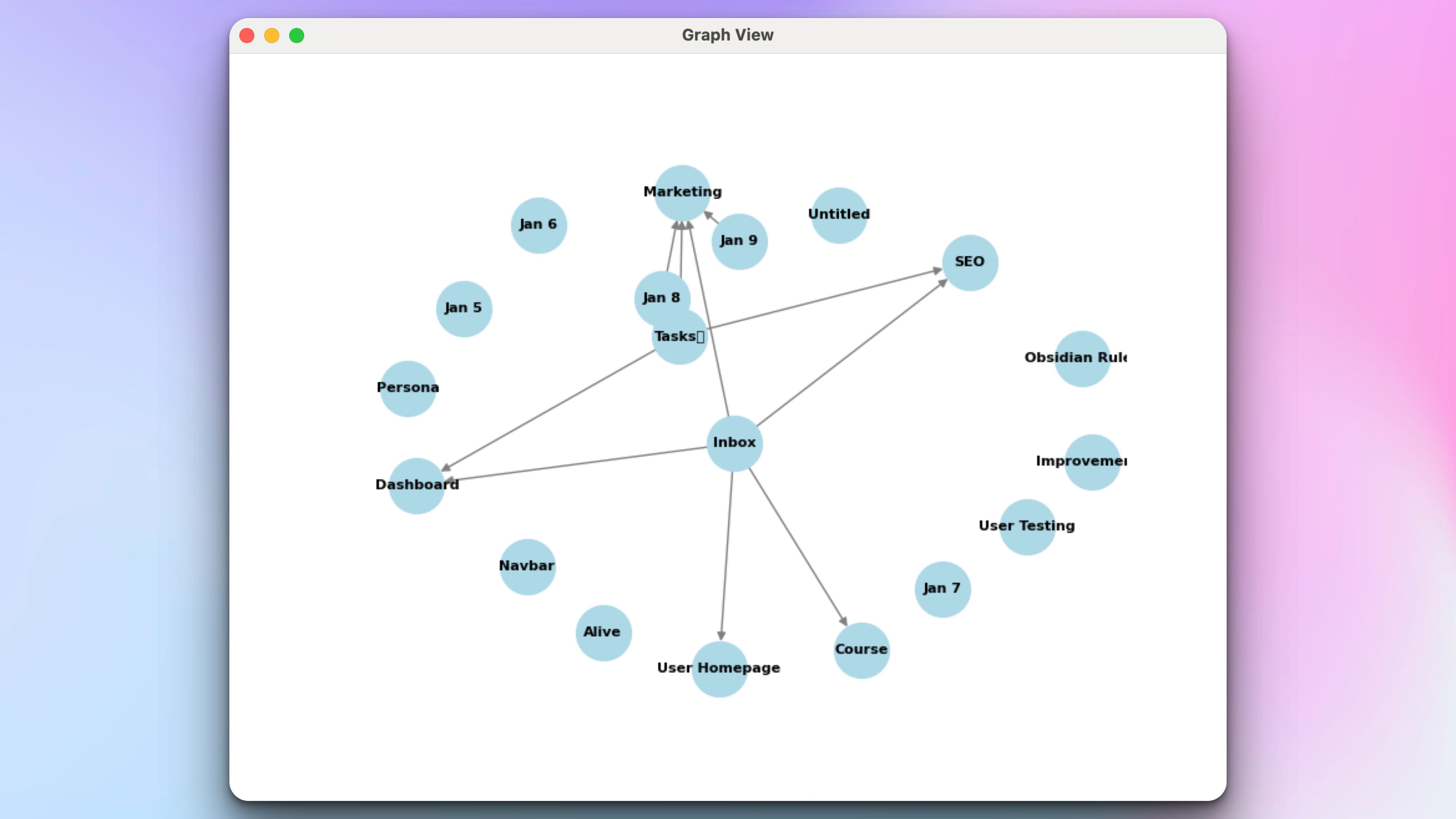
Just like in Obsidian, if the user uses [[note_name]] syntax to link to another note, a link is created between those two notes and all the links are visualized in the graph view:
Join the Python & AI Builders Skool Community
Got questions to ask the author about this project? Join our Python & AI Builders community for weekly Python & AI videos and discussions:
https://skool.com/automateit
Skeleton and Solution
Below you will find both a downloadable skeleton.py file to help you code the project with comment guides and the downloadable solution.py file containing the correct solution.
Get the code skeleton here:
Keep reading with a 7-day free trial
Subscribe to Daily Python Projects to keep reading this post and get 7 days of free access to the full post archives.