

Build Website Screenshot & Thumbnail Generator: Day 3 - With FastHTML Web Interface
Level: Real World

Projects in this week’s series:
This week, we progressively build a website screenshot and thumbnail generator with Python.
Day 1: Website Screenshot Tool
Day 2: Batch Screenshots & Thumbnail Generator
Day 3: FastHTML Web Interface (Today)
Today’s Project
Welcome to the finale! We’ve built a screenshot tool and batch processor. Today we’re wrapping everything in a FastHTML web interface where users can enter URLs, preview screenshots in a gallery, and download results — all through their browser!
No more command-line prompts or text files. Your tool becomes a professional web application anyone can use!
Project Task
Create a FastHTML web app that:
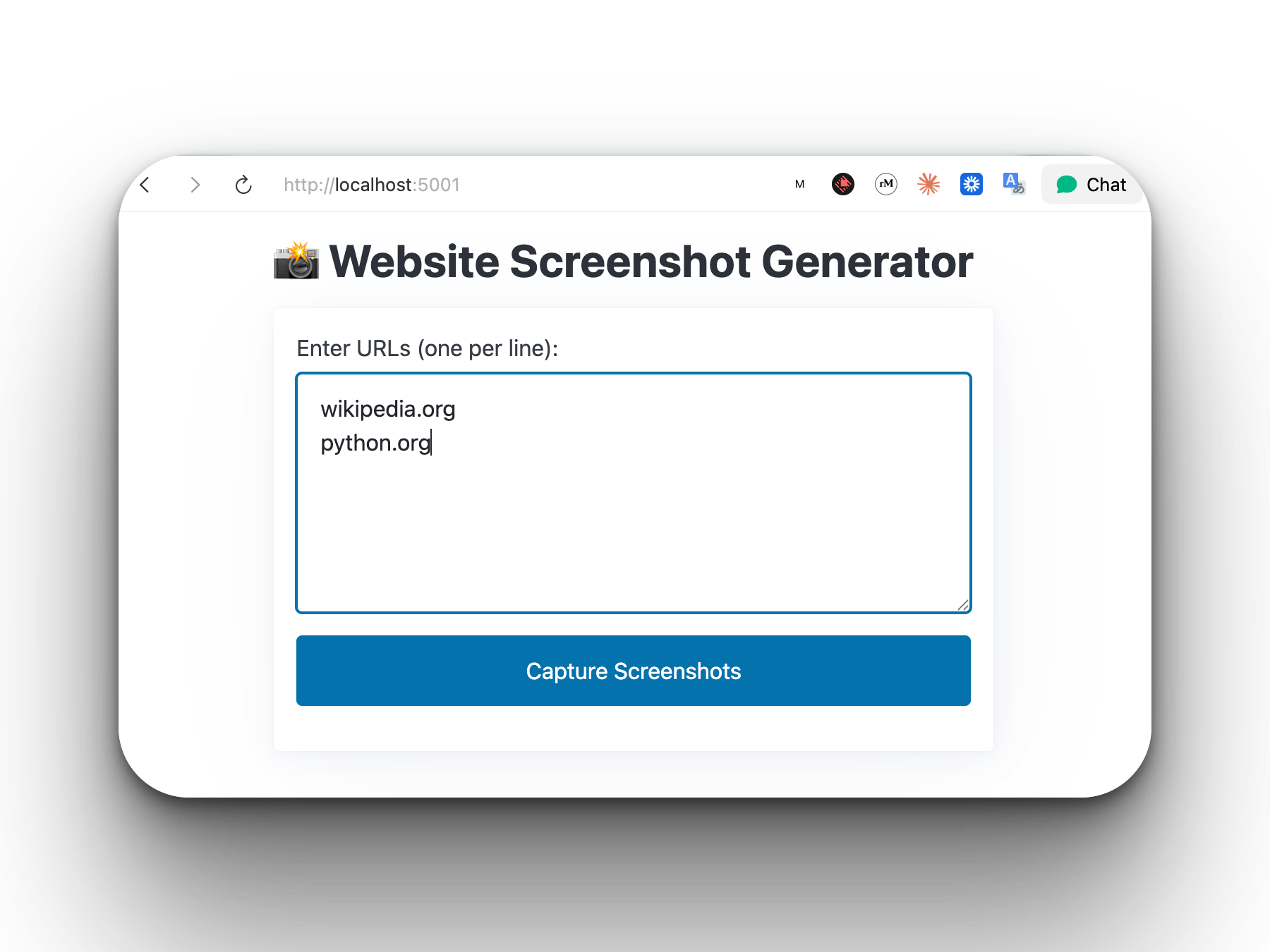
Lets users enter URLs through a web form
Captures screenshots on-demand
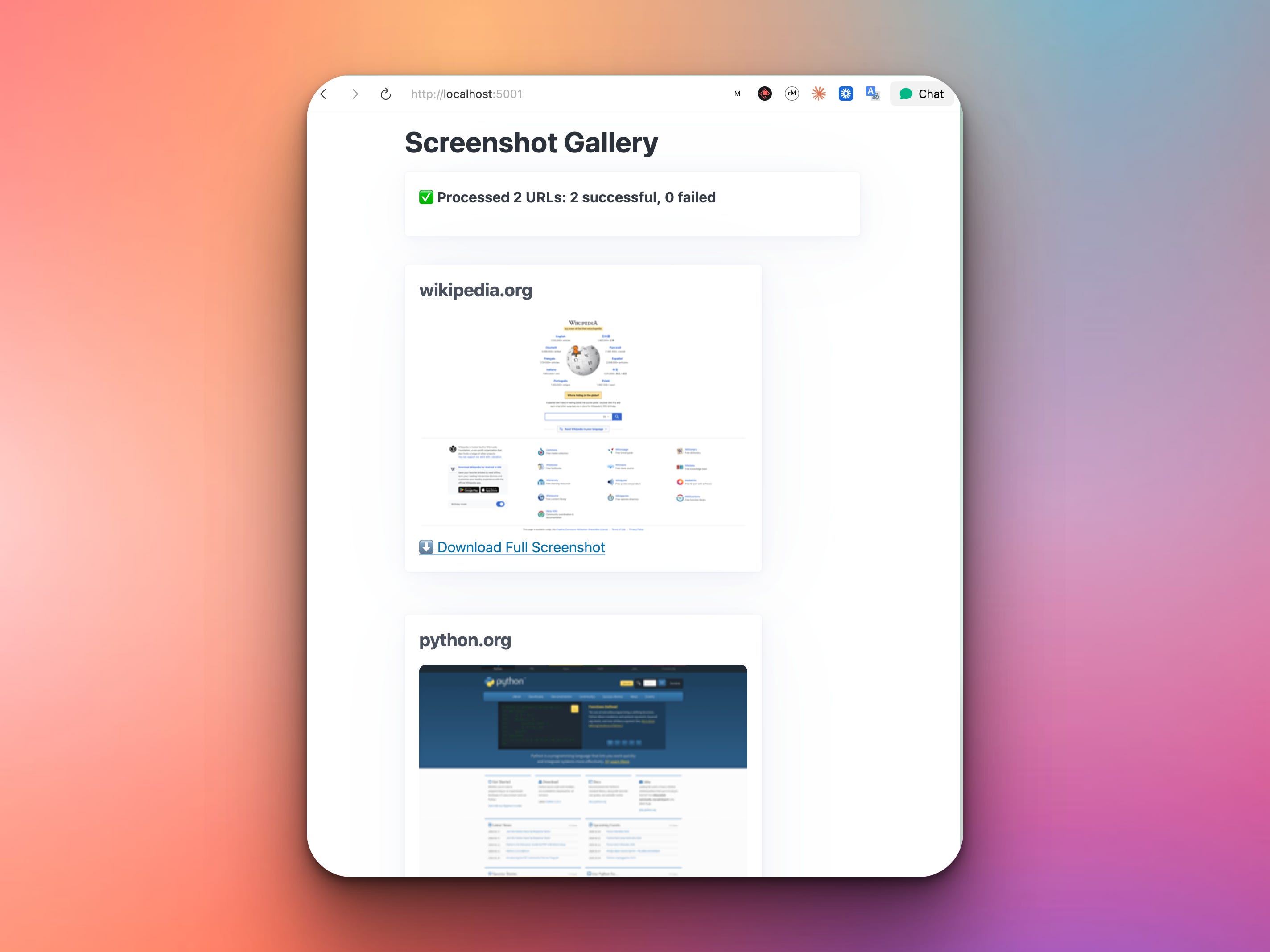
Displays screenshots in a gallery view
Shows both full-size and thumbnail previews
Provides download buttons for each screenshot
Processes multiple URLs at once
Shows real-time progress feedback
Works entirely in the browser
This project gives you hands-on practice with FastHTML, async operations, image handling in web apps, gallery layouts, and building user-friendly interfaces — skills that make your tools accessible to everyone!
Expected Output
The web app starts by letting the user submit as many URLs as they want:
Once the user types in the URLs and presses the “Capture Screenshots” button, the app will display the screenshots and let the users download them:
That’s a simple but it can be a very useful app in many scenarios.
What You’ve Accomplished This Week
That’s it! Congratulations! You’ve built a complete screenshot toolkit and learned:
Day 1: Browser automation with Playwright
Day 2: Batch processing and thumbnail generation
Day 3: Web applications with FastHTML
You now have a production-ready screenshot tool that:
Captures full-page website screenshots -
Generates thumbnails automatically
Processes multiple URLs at once
Works through a web browser
No third-party services needed
This is a tool you can use for portfolios, documentation, web archiving, and more!
View Code Evolution
Compare today’s solution with earlier versions and see how we evolved from a simple script to a complete web application.
Keep reading with a 7-day free trial
Subscribe to Daily Python Projects to keep reading this post and get 7 days of free access to the full post archives.