

Build Website Screenshot & Thumbnail Generator: Day 2 - Batch Screenshots and Thumbnail Generator
Level: Beginner

Projects in this week’s series:
This week, we progressively build a website screenshot and thumbnail generator with Python.
Day 1: Website Screenshot Tool
Day 2: Batch Screenshots & Thumbnail Generator (Today)
Day 3: FastHTML Web Interface
Today’s Project
Yesterday we built a tool that captures screenshots of single websites. Today we’re scaling it up: batch processing multiple URLs and generating thumbnails for quick previews.
We’re adding the ability to process a list of websites at once, create smaller thumbnail versions, and organize everything neatly. Your single-site tool becomes a bulk screenshot powerhouse!
Project Task
Create an enhanced screenshot tool that:
Processes multiple URLs from a text file
Captures full-size screenshots of each site
Generates thumbnail versions (smaller previews)
Organizes screenshots in folders (full-size and thumbnails)
Shows progress for each URL processed
Handles errors gracefully (invalid URLs, timeouts)
Creates a summary report at the end
This project gives you hands-on practice with batch processing, file organization, image resizing, error handling, and building production-ready tools — essential skills for automation at scale!
Expected Output
The program would start by asking the user to specify the path of the text file that contains the URLs of the websites for which we want to capture screenshots:
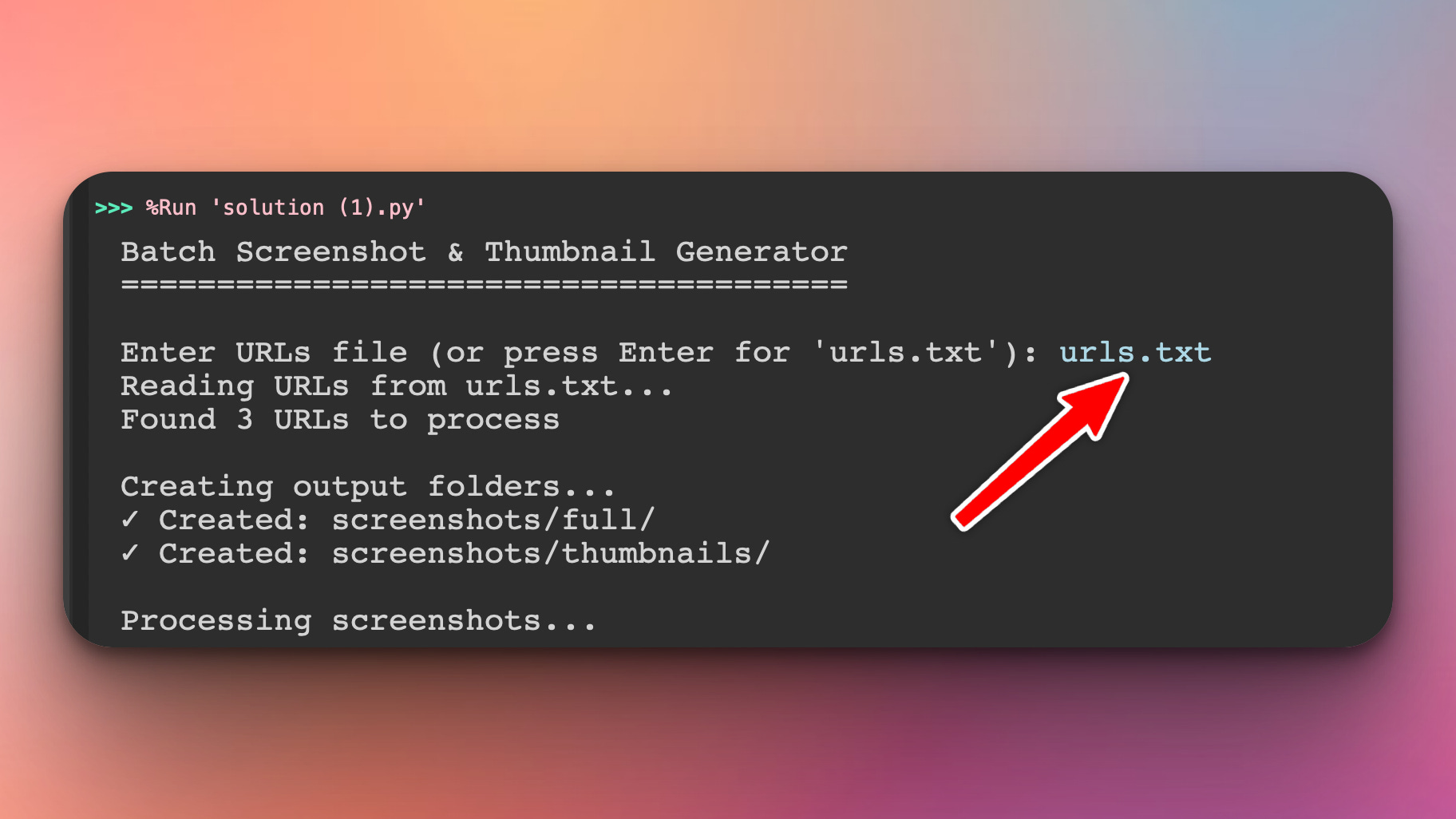
Here is how the urls.txt file would look like:
urls.txt file:
https://apple.com
https://python.org
https://stackoverflow.com
https://reddit.com
After that, the program would proceed to create a screenshots directory and two subdirectories screenshots/full/ and screenshots/thumbnail to save the screenshots and the thumbnails respectively.
Coming Tomorrow
Tomorrow we’re building a FastHTML web interface — upload URL lists through your browser, preview screenshots in a gallery, download zip files of results, and manage everything through a beautiful web dashboard!
View Code Evolution
Compare today’s solution with earlier versions and see how we’re building a complete screenshot toolkit.
Keep reading with a 7-day free trial
Subscribe to Daily Python Projects to keep reading this post and get 7 days of free access to the full post archives.