

CSV Contact Book Python Challenge
Level: Beginner

Your task for today is to build a contact book in Python that stores names, phone numbers, and email addresses in a CSV file. This project will teach you how to gather user input, work with CSVs, and display stored data — all useful skills for handling structured information.
📝 Project Task
The program should:
Prompt the user to enter a name, phone, and email.
Save the information to a
.csvfile (e.g.contacts.csv).Add a feature to display all saved contacts (formatted nicely in the terminal).
This is a great real-world use case of Python’s built-in csv module and a chance to practice building simple utilities that persist data.
📌 Expected Output
When you run the program, it should:
Ask the user to input name, phone, and email.
Save that data to a CSV file.
Ask if the user wants to view all saved contacts.
If yes, it should print all contacts from the CSV.
Example interaction in the terminal:
Enter name: Alice
Enter phone: 123456789
Enter email: alice@example.com
Contact saved.

View all contacts? yes

Name: Alice
Phone: 123456789
Email: alice@example.com
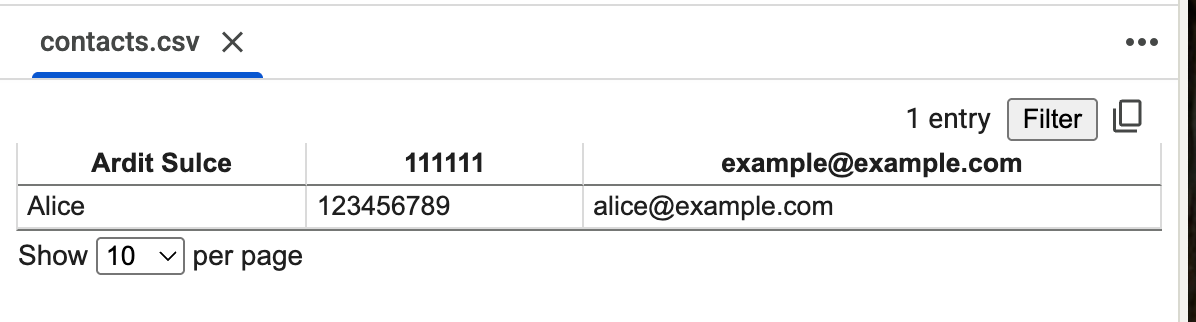
That will generate a contacts.csv file:
💬 Join the Weekly Python Chat
Need help or want to share what you built? Join this week’s Python Chat Thread to:
Ask questions
Share your solution
Get feedback
Find study partners
💻 Launch This Project in Colab
Open the interactive Google Colab notebook for today’s project — with full instructions, hints, and solutions.
Click the button below to start coding — no setup needed:
Keep reading with a 7-day free trial
Subscribe to Daily Python Projects to keep reading this post and get 7 days of free access to the full post archives.