

Python Project: 📊 Add a New Column to an Excel File
Level: Real-World Project

Project Overview 💡
In this project, you’ll learn how to use Python’s pandas library to read an Excel file, modify its contents, and save the updated data. This is a crucial skill when working with structured data, such as sales reports or inventory records.
Challenge Yourself! 🚀
Before looking at the solution, try to solve this problem on your own!
Task:
Write a Python script that reads an Excel file containing sales data, adds a new column named “Total” that calculates Price × Quantity, and saves the updated data to a new Excel file.
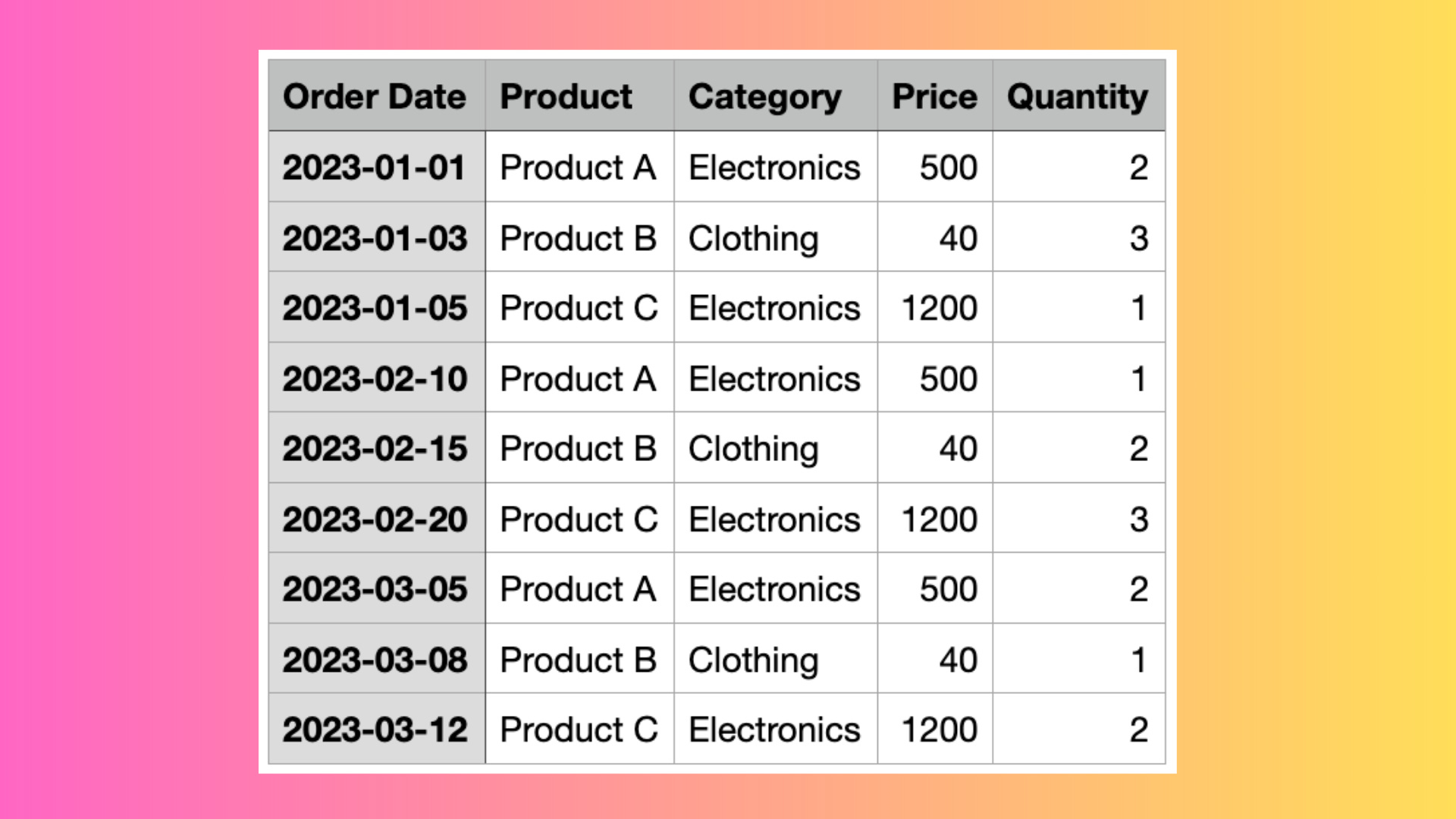
Please use the Excel file below:

Here is how the attached Excel file looks like:
Expected Output:
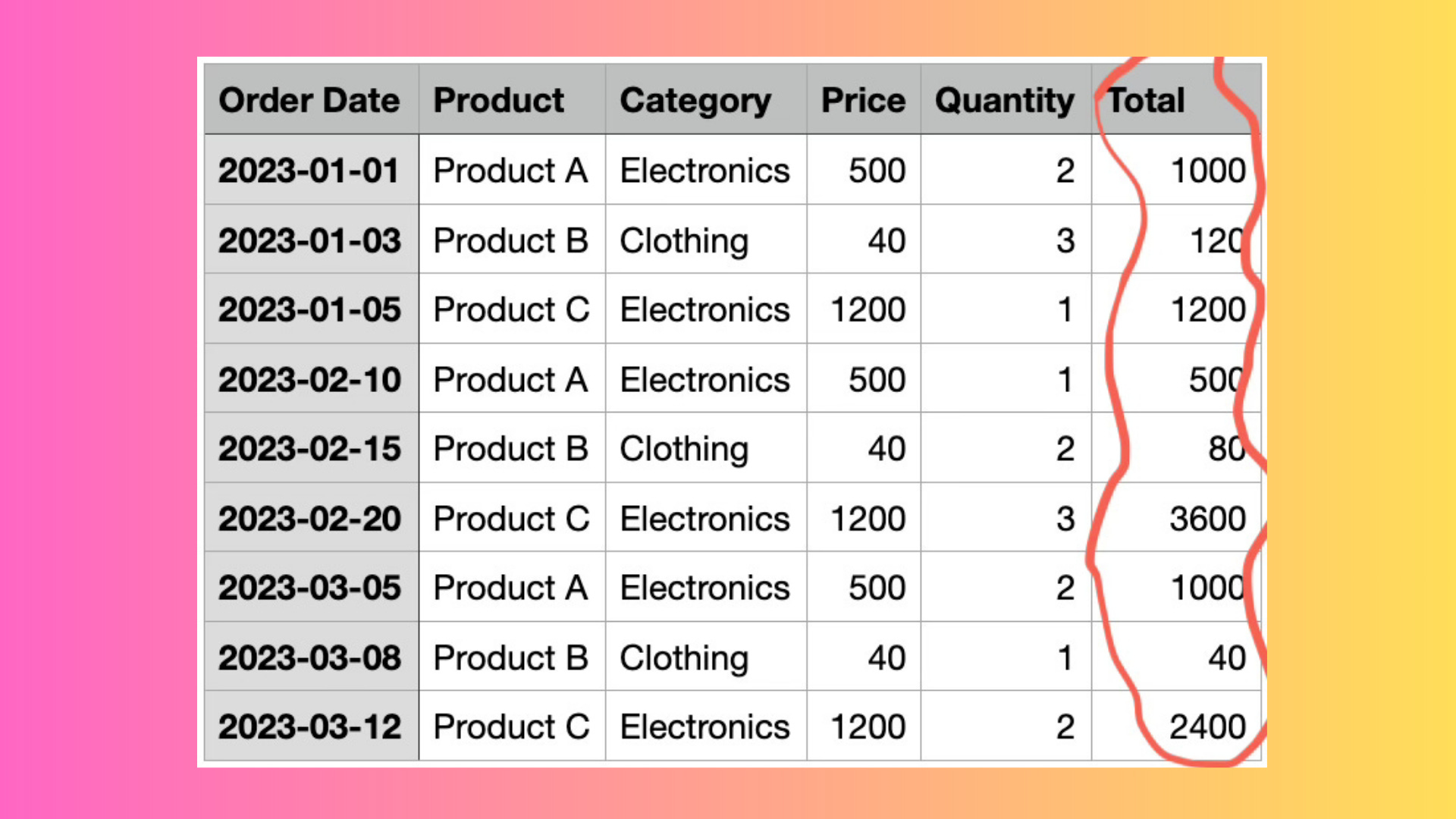
The program should generate a new file named “output.xlsx” with the additional Total column.
Here is how the generated Excel document should look like:
Give it a shot! Scroll down when you’re ready for the complete step-by-step guide.
Spoiler Alert!
Step-by-Step Guide
Step 1️⃣: Install Required Libraries
Before working with Excel files, ensure you have the necessary libraries installed. Run the following command in your terminal:
Keep reading with a 7-day free trial
Subscribe to Daily Python Projects to keep reading this post and get 7 days of free access to the full post archives.