

Build a Pomodoro App with Python

Your task for today is to build a GUI-based timebox tracker that helps users work in focused sessions using the Pomodoro method (or any custom session length they choose). You’ll practice GUI programming, timers, state management, and simple session summaries.
📝 Project Task
The program should:
Provide a graphical interface with controls to Start, Pause/Resume, Reset, and Skip.
Let the user choose a timebox length (e.g., 25 minutes Pomodoro) and break length (e.g., 5 minutes).
Show a countdown timer and the current mode (Focus / Break).
Support auto-switching between Focus and Break when a session ends (with a beep/notification if possible).
Track completed focus sessions in the current run and display a small summary (e.g., “3 sessions completed”).
Bonus (optional):
Allow a long break after N focus sessions (e.g., 15 minutes after 4 Pomodoros).
Add a task name field to tag sessions.
Persist session history to a CSV file (date, task name, focus minutes completed).
This is a practical project for building better work habits while learning real GUI patterns and timer logic.
📌 Expected Output
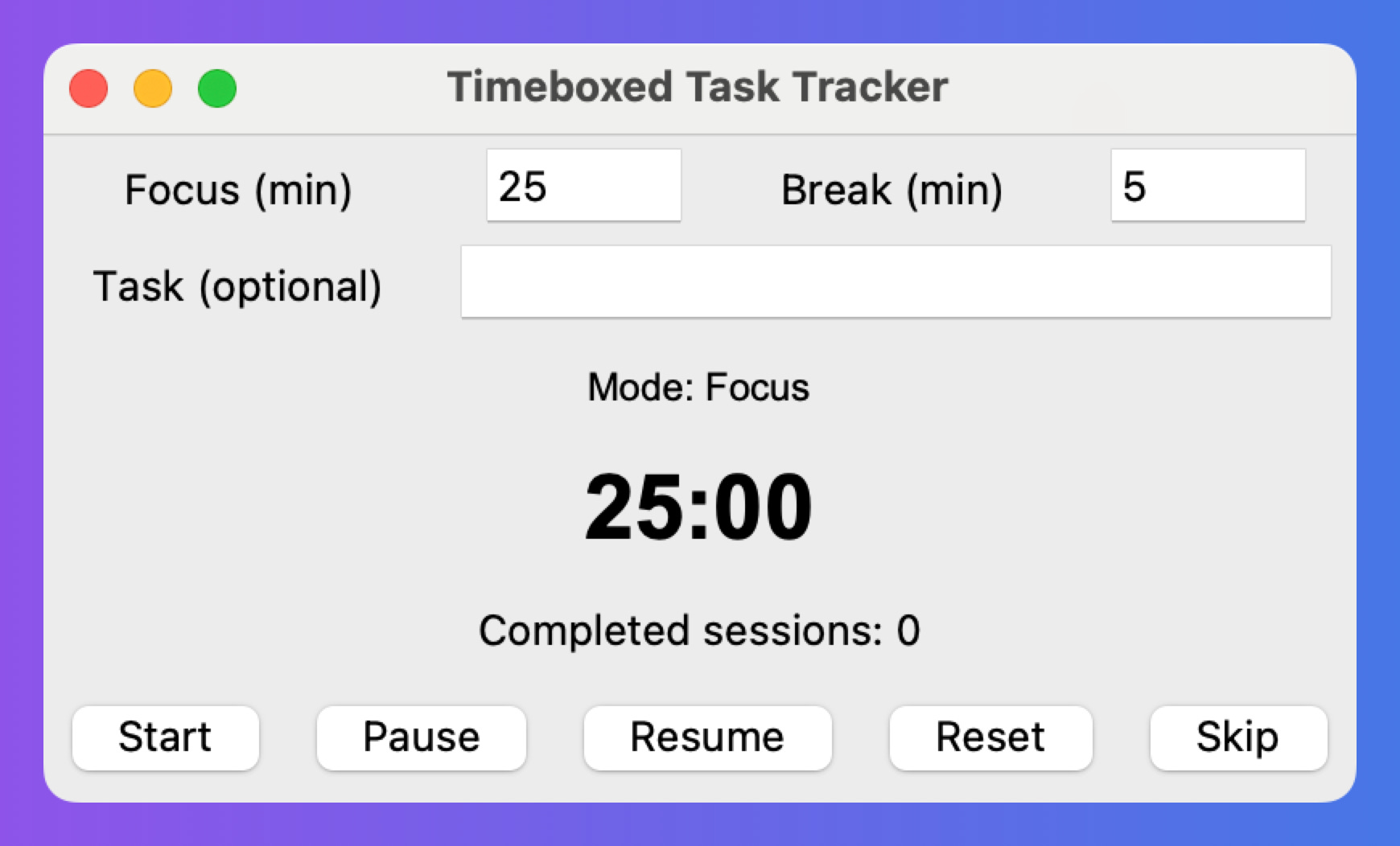
When you launch the app, it should display:
Inputs for Focus length and Break length (minutes).
Buttons for Start, Pause/Resume, Reset, Skip.
A large countdown (e.g.,
24:59) and a label likeMode: Focus.A small summary line such as
Completed sessions: 3.
Here is how the app will look like:
If you include CSV logging, each finished focus session should append a row such as:
2025-08-11,Task: Write draft,Focus Minutes: 25
💬 Join the Weekly Python Chat
Need help or want to share what you built? Join this week’s Python Chat Thread to:
Ask questions
Share your solution
Get feedback
Find study partners
💻 Launch This Project in Colab
Open the interactive Google Colab notebook for today’s project — with full instructions, hints, and solutions.
Click the button below to start coding — no setup needed:
Keep reading with a 7-day free trial
Subscribe to Daily Python Projects to keep reading this post and get 7 days of free access to the full post archives.