

Turn your script into an API
Your Python function works on your laptop, but only there. Here is how it gets its own URL, so a phone, a friend, or another script can call it.

In this post, you will learn how to give a Python function its own URL, turning it into an API that other programs can call. This is one of the most important transitions in software development, because it is the moment your code stops being a private script and becomes a service.
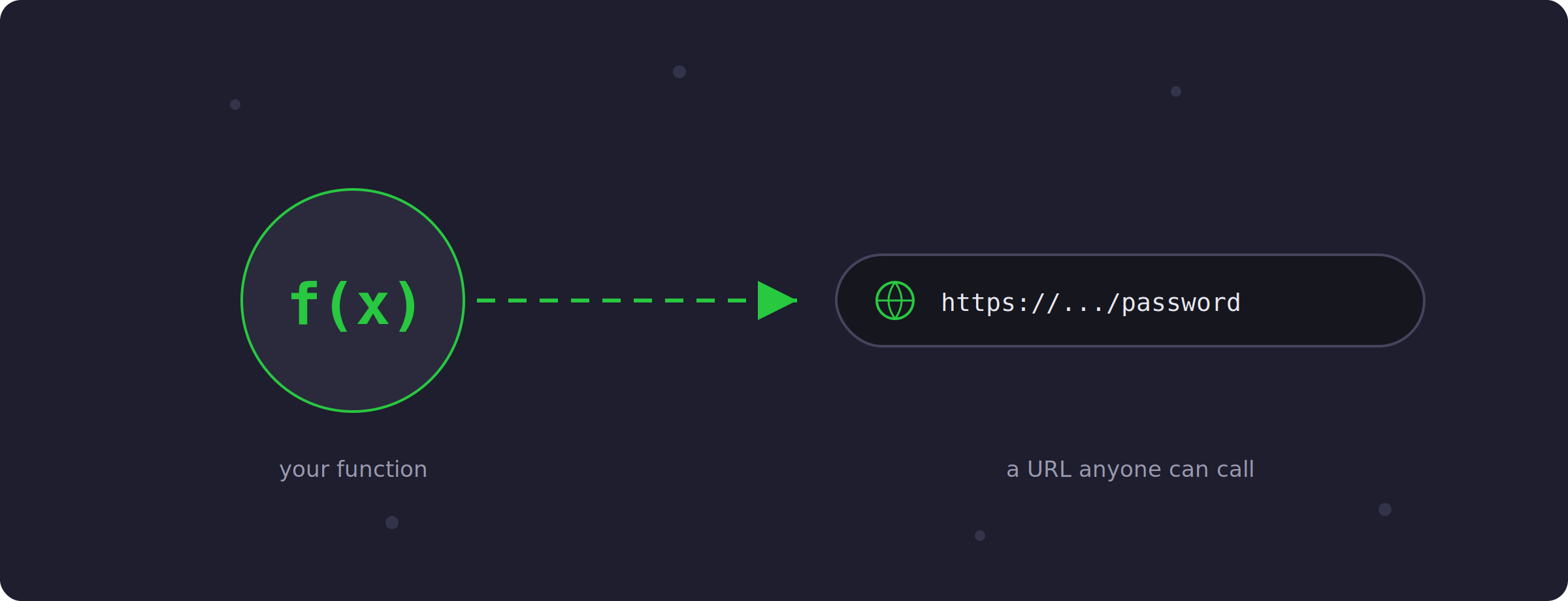
You have probably written a function you are a bit proud of. Perhaps it generates strong passwords, or cleans up messy text, or calculates something useful for you. It works fine on your laptop. However, there is a limitation you might not have thought about: the only way to use that function is to open your laptop, activate the environment, and run the script yourself. Your friend cannot use it. Your phone cannot use it. Even another one of your own scripts, running on a different machine, cannot use it.
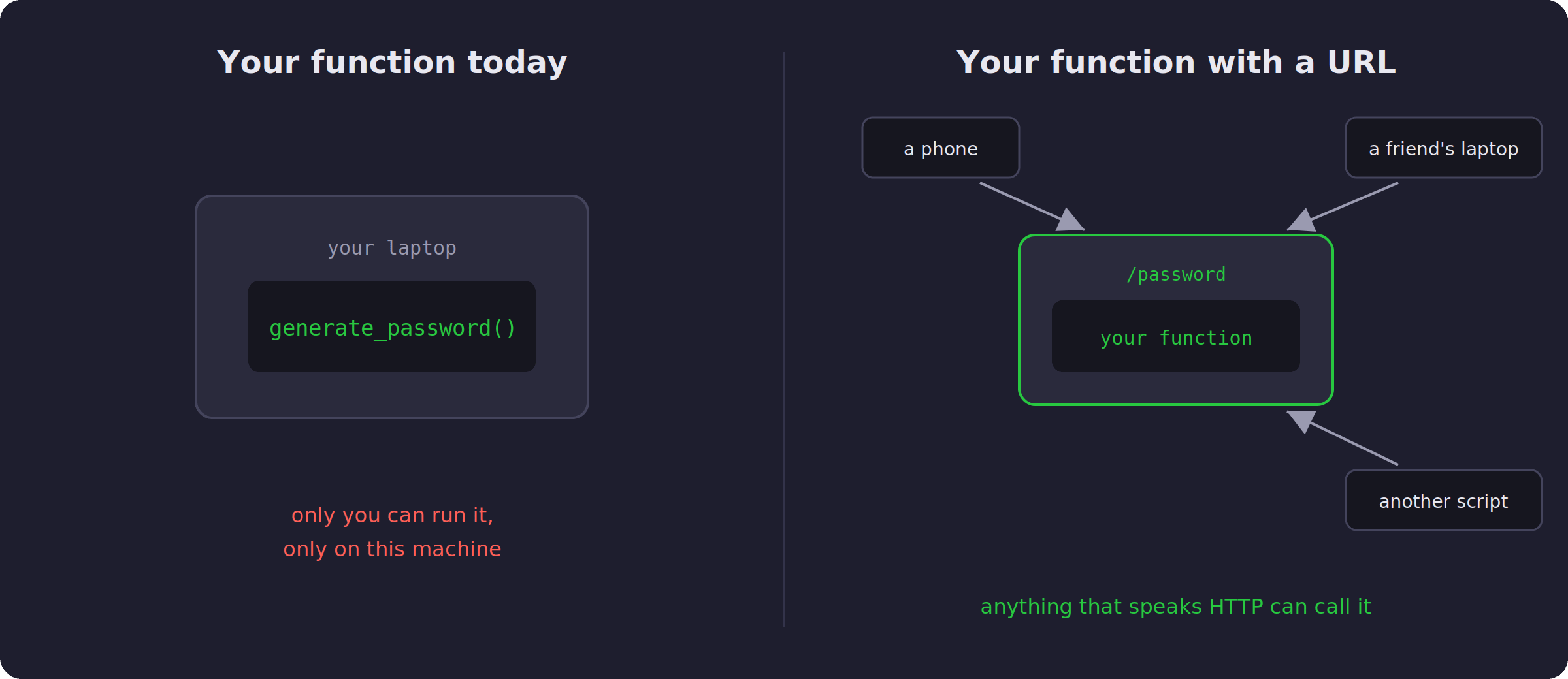
The fix for that is called an API. You have probably used APIs before, at least as the caller/client: you send a request to a URL and you get data back instead of a web page. So today we do the other side. We take your function and give it a URL.
Five lines around your function
For this we will use FastAPI. Install it together with uvicorn, the program that will run your API:
pip install fastapi uvicornNow say this is your function, saved in a file called main.py:
import secrets
import string

def generate_password(length):
    chars = string.ascii_letters + string.digits
    return "".join(secrets.choice(chars) for _ in range(length))
To turn it into an API, you add this around it:
from fastapi import FastAPI

app = FastAPI()

@app.get("/password")
def password(length: int = 16):
    return {"password": generate_password(length)}
The line that does the magic is the decorator. @app.get("/password") tells FastAPI: when someone visits /password, run this function and send back whatever it returns.
Starting the server
Now run it from the terminal:
uvicorn main:app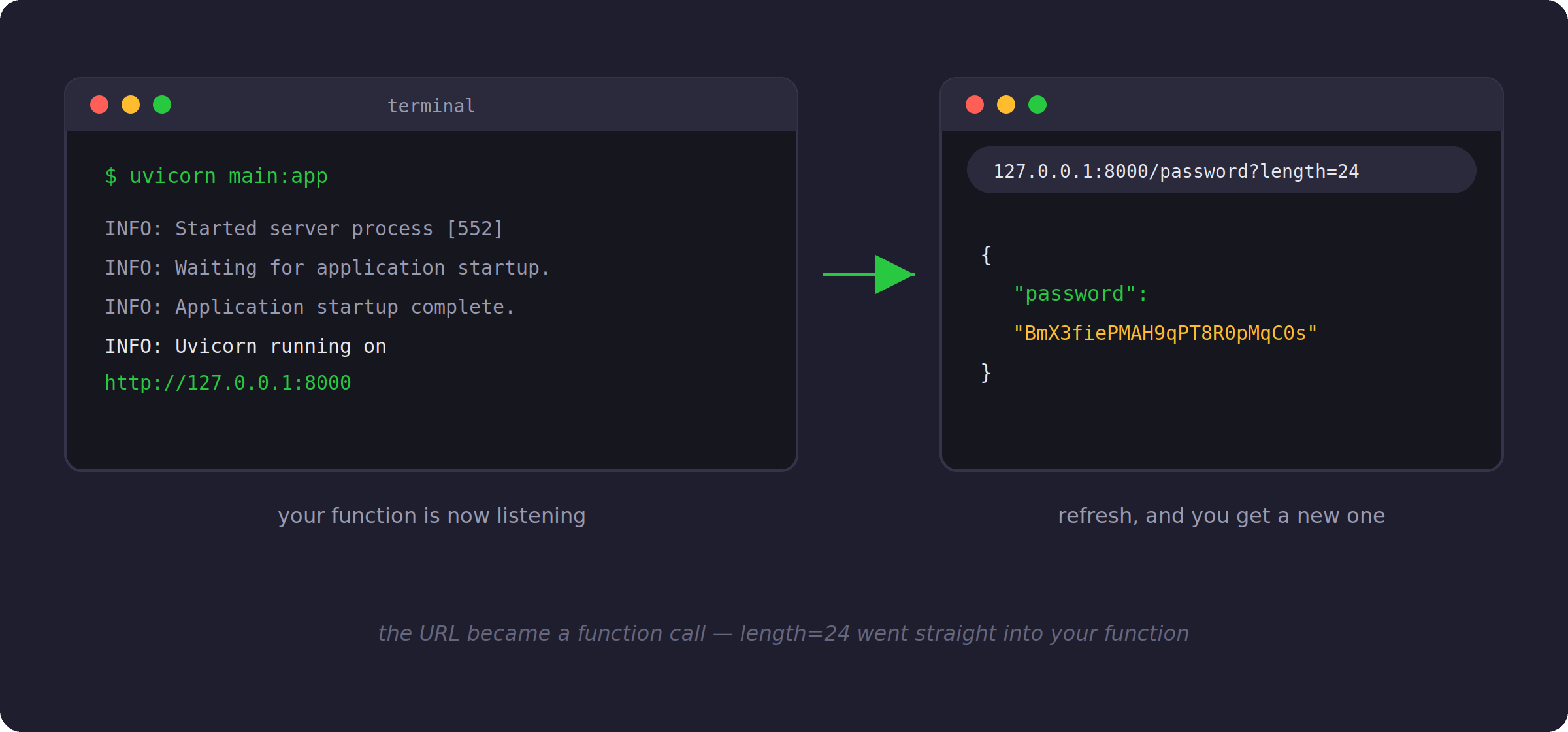
Your function is now listening at http://127.0.0.1:8000.
Open http://127.0.0.1:8000/password in your browser and you will see something like {"password":"NlDRymnljPanqFp2"}. Refresh, and you get a new one. Then try adding ?length=24 to the end of the URL, and you will get a longer password back.
Notice what happened there. You typed ?length=24 in a browser, and FastAPI passed that value to your function as the length argument. The URL became a function call.
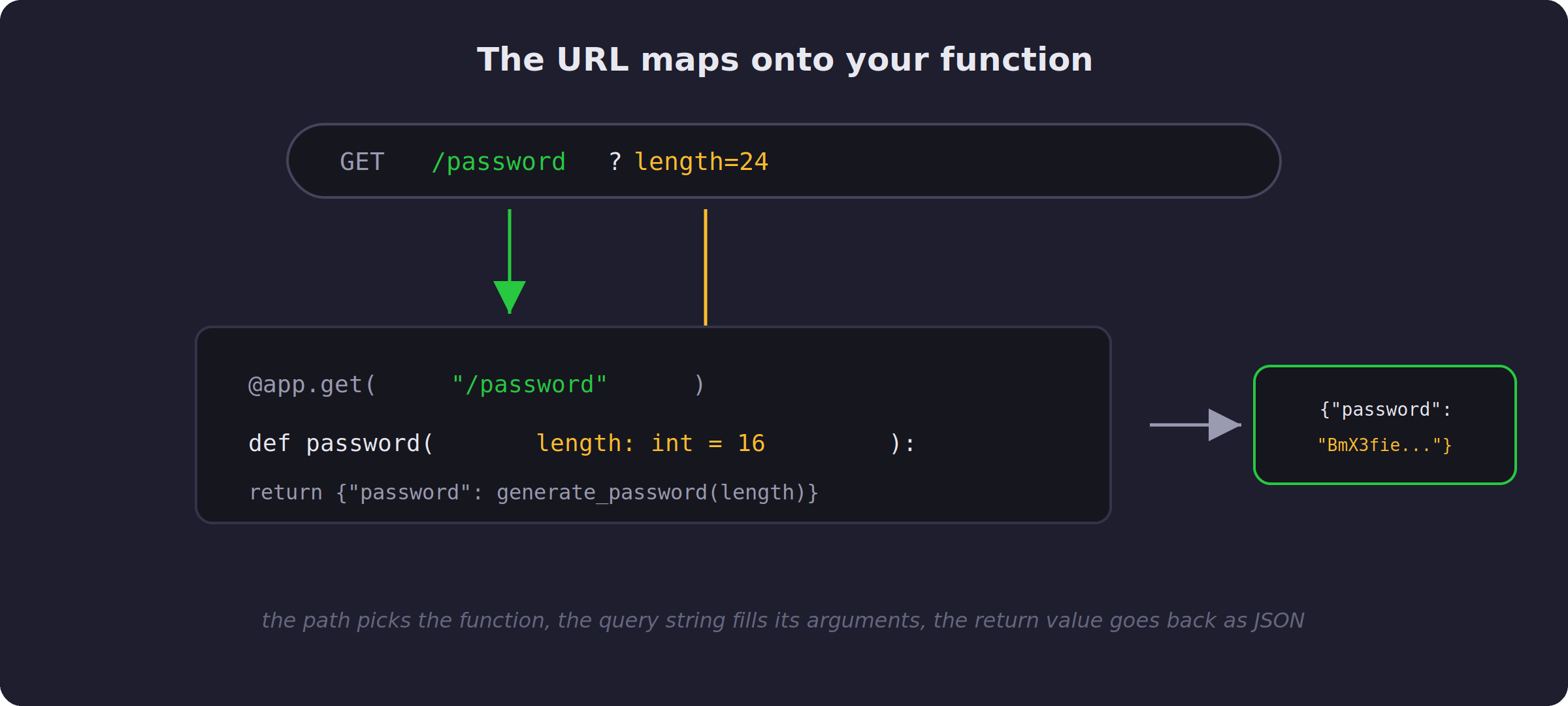
That mapping is the entire idea of an API, and it is worth staring at for a minute. The path picks the function, the query string fills its arguments, and the return value travels back as JSON.
Two things you got for free
There are two more things FastAPI did without asking you.
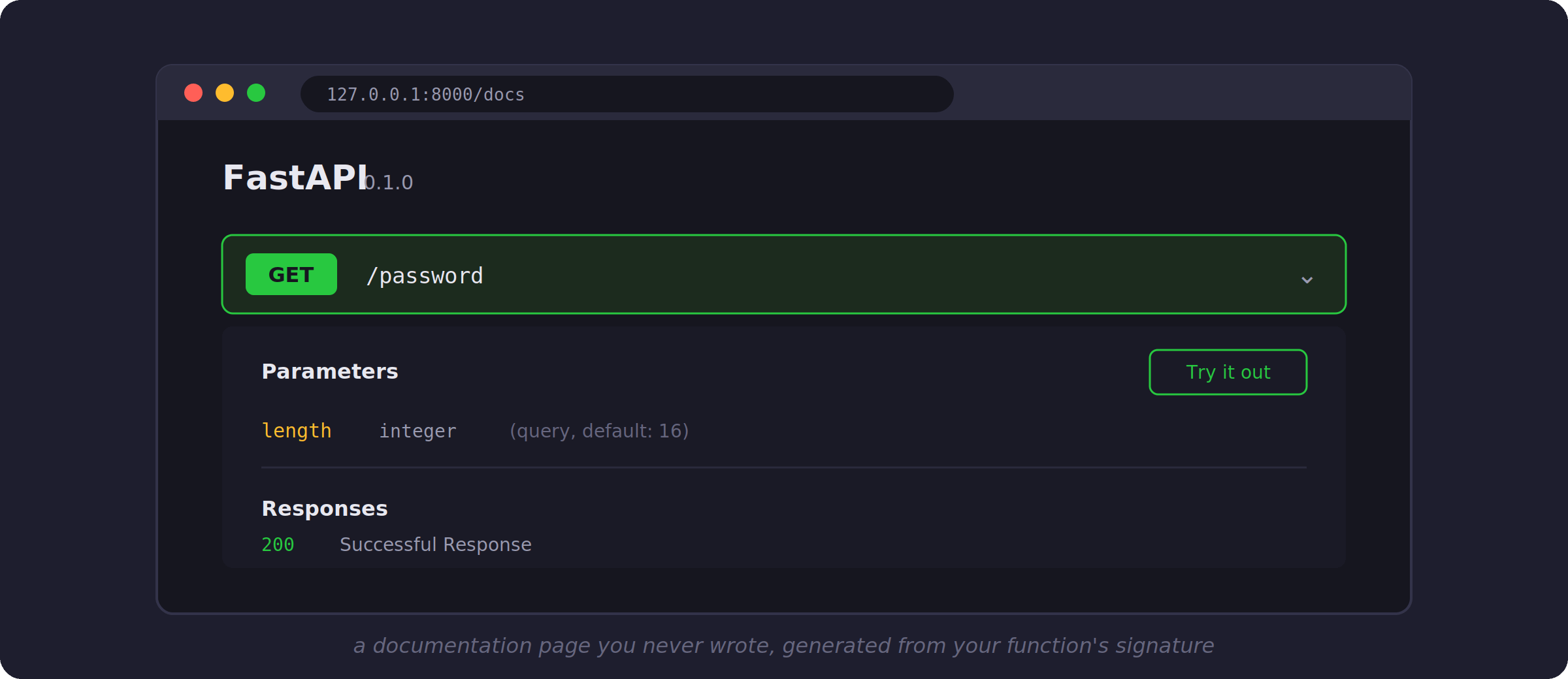
First, open http://127.0.0.1:8000/docs in your browser. You will find a documentation page for your API, generated from your function’s signature. It lists your endpoint, its parameters, and even has a button to try it out. You wrote no documentation, yet your API has some.
Second, try calling your API with ?length=abc. Instead of crashing, it responds with a clear message saying that length should be a valid integer. FastAPI read the length: int hint in your function and built the validation for you. When I first saw this, I had written type checks by hand for years, so this felt slightly unfair.
Before you send the URL to a friend
One warning, and if you read last week’s post about webhooks you already know what is coming. If you send http://127.0.0.1:8000/password to a friend, it will not work. That address means “this machine”, so your API is real but only reachable from your own computer. To let the world call it, you deploy it to a server, which is a computer with a public address that stays on. That trip from laptop to server is a topic we keep circling back to in this publication, because it is the trip that matters most.
The bigger picture
Here is the way I want you to think about all this. Every API you have ever used, whether it was a weather API, a payment API, or an AI API, is exactly what you built today: someone’s function, wrapped with a decorator, running on a computer that stays on. There is no magic in between.
And it also means any useful function you have ever written is about five lines away from becoming a service.
If you learned something from this today, consider upgrading for the full experience: every weekly project with full source code, plus the complete archive. Since you read this far, I’d like to offer you 35% off the annual plan as a token of appreciation. Click below to get the discount: