

SQLite, Postgres, or Supabase: the decision AI can’t make for you
AI can write your database code in a minute. It cannot decide where your data should live. Here is the map for that decision.

In this post, you will learn how to choose a database for your app: SQLite, Postgres running on your machine, or a hosted service like Supabase. We also touch on other databases such as MySQL and why it is less popular than Postgres.
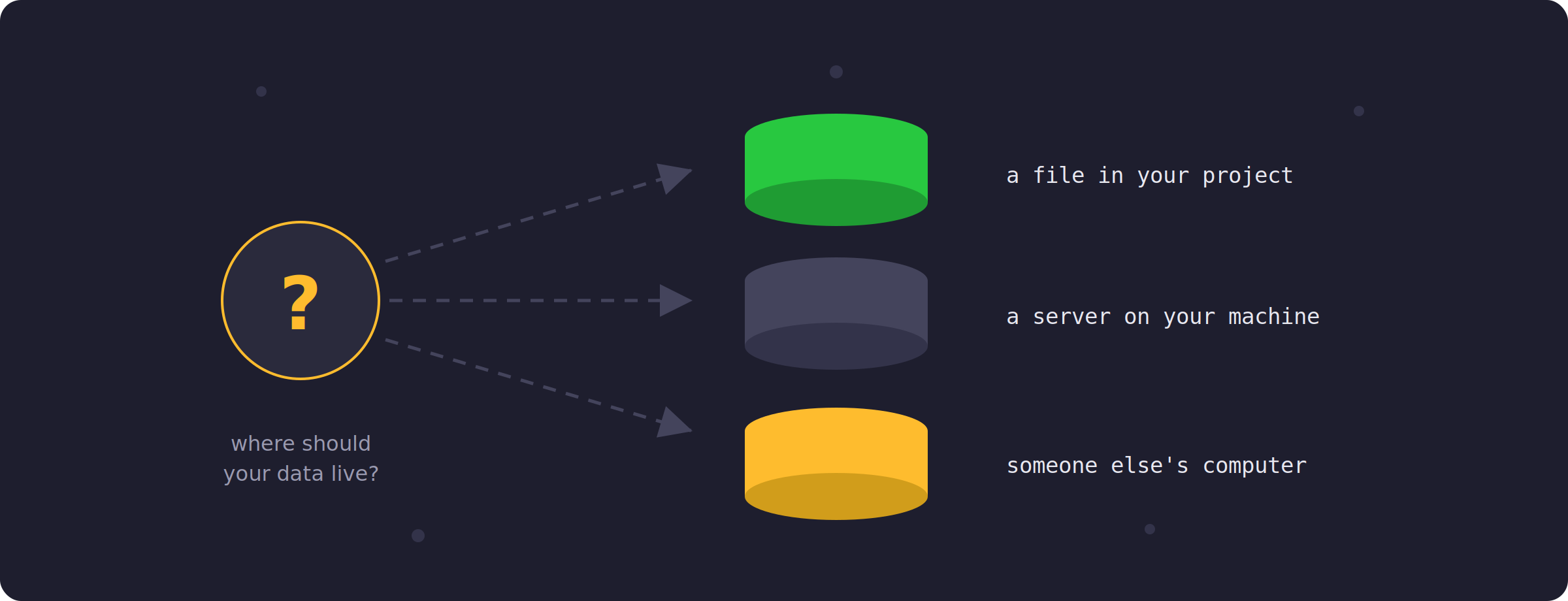
Imagine you ask AI to build you a habit tracker. Cursor or Claude produces the whole app in a few minutes, and it works. However, somewhere in those generated files, the AI also made a quiet decision for you: where your data lives. Maybe it picked SQLite. Maybe it wired in Postgres. You nodded along, because the app runs. But that quiet decision determines how you will deploy the app, what happens when your laptop dies, and whether your data can follow you to your phone. The code was AI’s job. This decision was supposed to be yours.
So let’s give you the map. But first, answer this honestly:
If you picked “honestly, no idea”, you are in good company, and this post exists exactly for you. Keep your answer in mind, because by the end you will be able to check whether it was right.
The three realistic options
For a solo builder, there are really three options worth knowing, and they differ mainly in one thing: where the data physically sits.
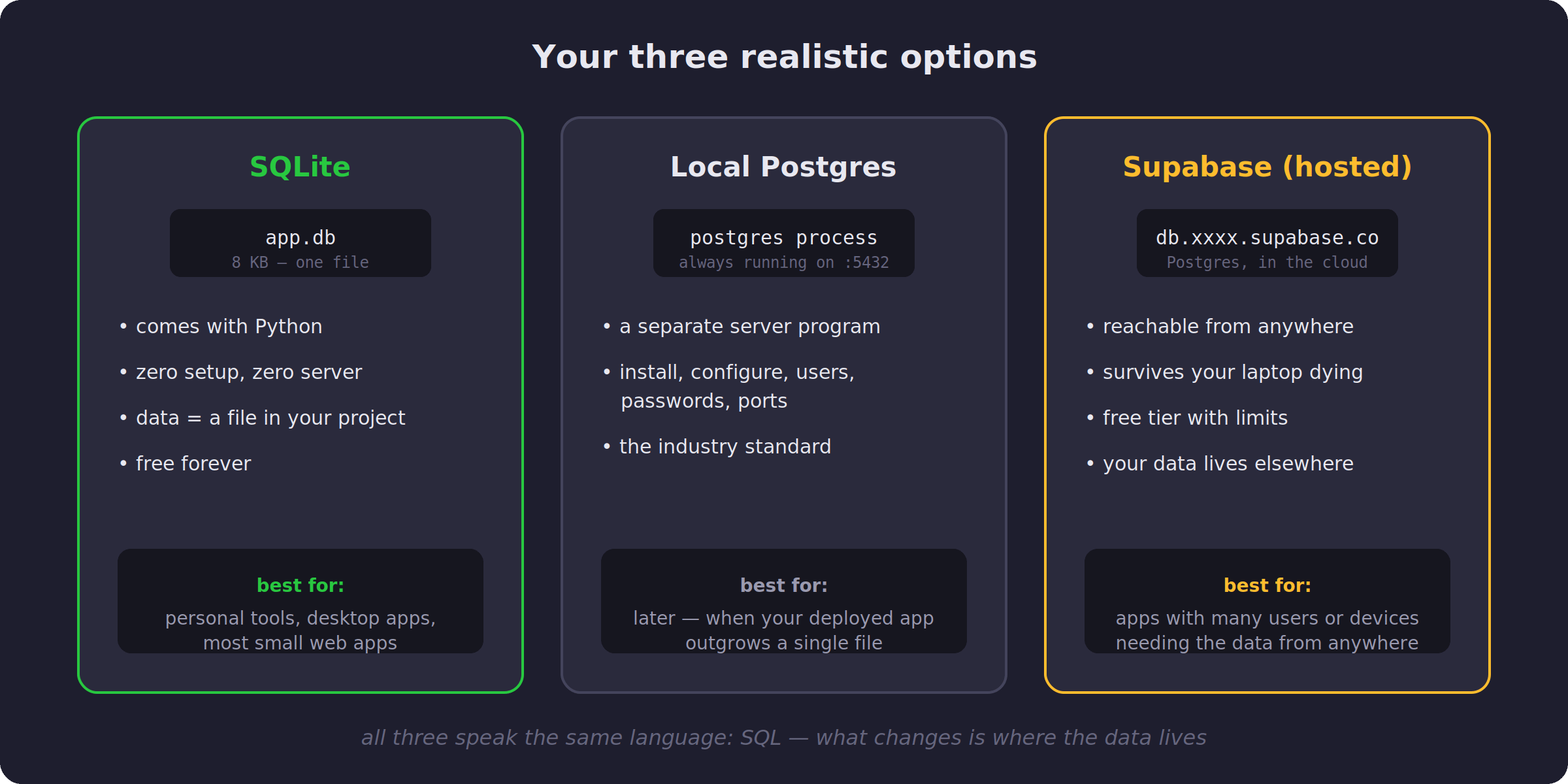
SQLite is a complete database inside a single file. It comes with Python, so there is nothing to install, no server to run, and no password to configure. This is genuinely all it takes:
import sqlite3

con = sqlite3.connect("app.db")
con.execute("CREATE TABLE habits(name TEXT, done_on TEXT)")
con.execute("INSERT INTO habits VALUES ('stretch', '2026-08-10')")
con.commit()
After running this, there is a file called app.db in your folder, 8 KB in size, holding your data. People will tell you SQLite is a toy. It is not. It runs inside every phone and every browser you own, which makes it one of the most deployed pieces of software in history.
Local Postgres is a proper database server running as a separate program on your machine. It is the industry standard, and it is also installation, configuration, users, passwords, and a process that must always be running. It buys you complexity before it buys you anything else, so my honest advice for beginners is to skip it until a real need appears.
Supabase is Postgres again, but running on someone else’s computer, reachable from anywhere. Your data is no longer trapped on one machine: it survives your laptop dying, and ten users on ten devices can all reach it. In exchange, every query travels over the internet, your data lives elsewhere, and you are on a free tier with limits. Take those limits seriously. A few weeks ago, while building the file sharing tool for one of this publication’s projects, I had three free upload services fail under me in a single afternoon: one started returning JSON errors, its replacement turned out to be disabled for spam, and I finished the day on a third one. Free tiers are real infrastructure until the day they are not.
At this point you might be wondering about MySQL, because it appears in every tutorial from the last twenty years. MySQL is a server database like Postgres, and it still quietly runs a huge part of the internet, with WordPress alone keeping it very busy. However, among developers starting new projects today, Postgres has clearly won: it has more features, stricter and saner defaults, and it is what modern hosted services like Supabase are built on. So for your decision, MySQL and Postgres occupy the same slot on the map, and when you eventually reach for that slot, my advice is to pick Postgres.
One question decides it
When people ask me which one to pick, I ask back a single question: who needs to reach this data?
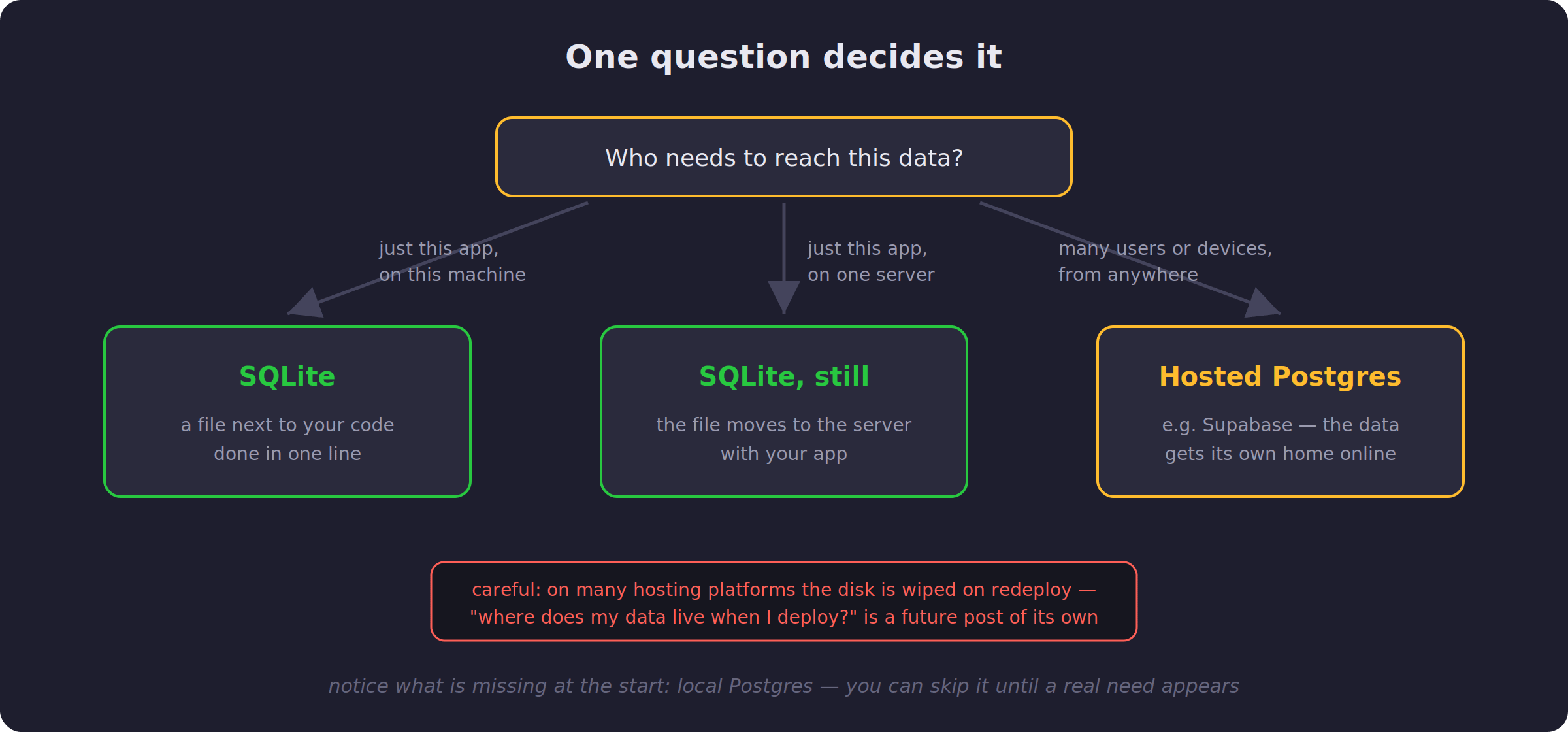
If the answer is “just this app, on my machine”, use SQLite and move on with your life. If the answer is “just this app, but deployed on a server”, SQLite still works: the file simply lives on the server next to your code. However, be careful here, because on many hosting platforms the disk gets wiped on every redeploy, and that trap deserves its own post soon. And if the answer is “many users or devices, from anywhere”, then the data needs its own home on the internet, and that is when hosted Postgres like Supabase earns its place.
Notice that local Postgres did not appear in any starting answer. That is not an accident.
Building with AI changes one thing
Here is the practical part. When you vibe-code an app, tell the AI which database to use, explicitly, in the first prompt. Something like: “Build me a habit tracker. Use SQLite, one file named app.db.” If you do not say it, the AI will pick for you, and you will inherit a decision you never made.
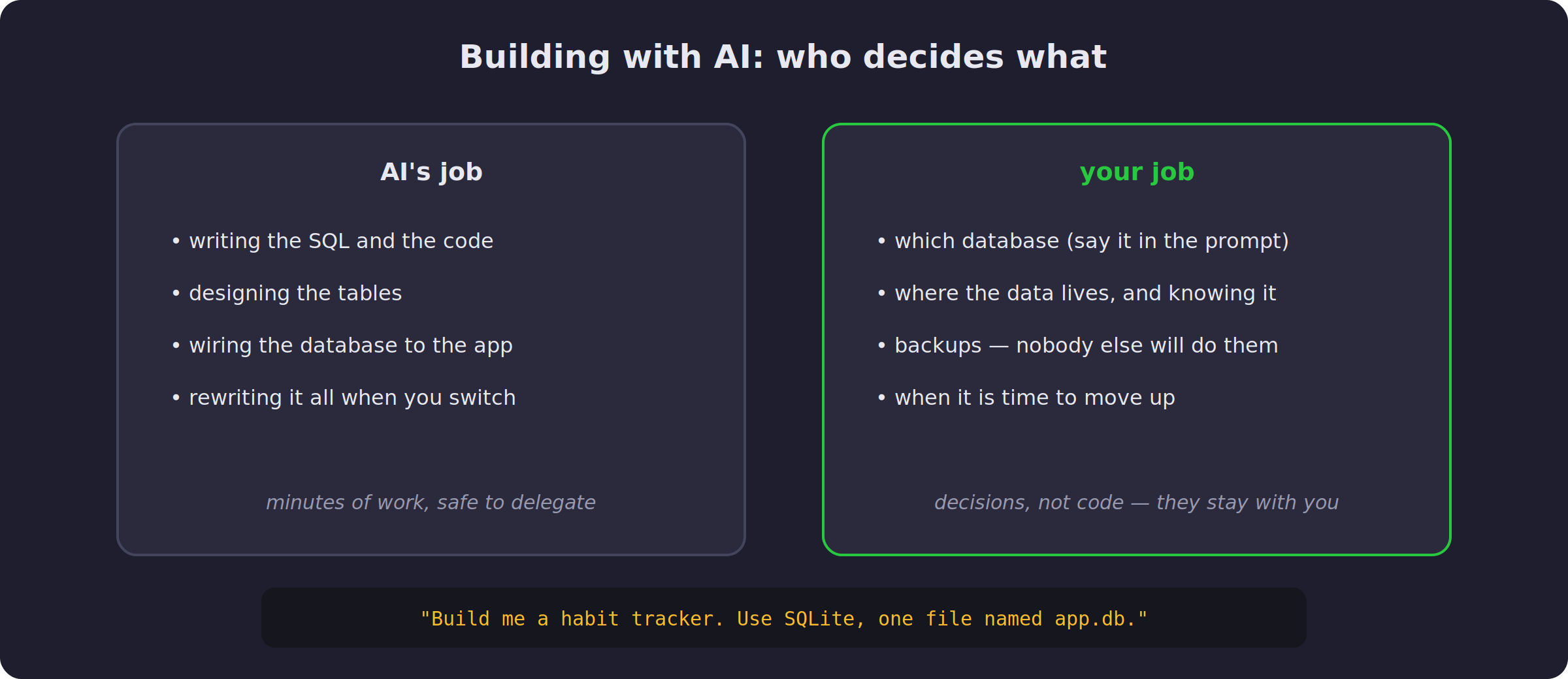
Then, after it builds the app, do one small thing: find the data file and open its folder. Knowing where your data physically is sounds trivial, yet it is the difference between people who recover from disasters and people who lose everything.
The good news is that switching databases later is cheaper than it has ever been, because AI can rewrite the code layer in minutes. Moving the data itself, however, is still your problem. So start simple, start with SQLite, and treat moving up as a milestone your app earned, not a mistake you made at the beginning.
Before you go, one small test of today’s map. Imagine you are building a recipe app, just for yourself, but you want to use it on both your phone and your laptop. Which database do you pick?
Think about the one question from the decision map before you answer.
If you learned something from this today, consider upgrading for the full experience: every weekly project with full source code, plus the complete archive. Since you read this far, I’d like to offer you 35% off the annual plan as a token of appreciation. Click below to get the discount:
That was a really fun & learning article (post). I am relatively new to all those things, but I "love" kind of, the SQLite. I was recently told by a friend (25+ years in IT) that when creating an App with AI, I should tell it ONLY that I want the App to be a "web app" or "desktop app" and let It decide what to use and how to build it. To be honest, I disagree, but I did not tell him.
I have built 2 Apps with AI, currently, both are Desktop Apps, business related, and both have SQLite.
I am in the review phase for both of them, and I like SQLite very much for its portability, though I was never an IT Guy.
Concise and Informative.
Thanks